

Just-in-time (JIT) provisioning
When SSO and JIT are enabled, user accounts are created automatically the first time they log in to the platform, removing the manual overhead of sending email invitations.Setup: You must contact WisdomAI Support to enable JIT for your specific instance.
SCIM provisioning
When SSO and SCIM (System for Cross-domain Identity Management) are enabled, users are synchronized directly from your Identity Provider (IdP) down to WisdomAI. Here’s how it works:- Dynamic Syncing: If a user is added in your SSO provider, Wisdom automatically creates an equivalent user.
- Automatic Updates: Any changes to a user profile or the removal of a user on the SSO side are immediately reflected in the Wisdom platform.
- Group Management: When SCIM is enabled, user group memberships are managed entirely by your IdP.
Enable SCIM
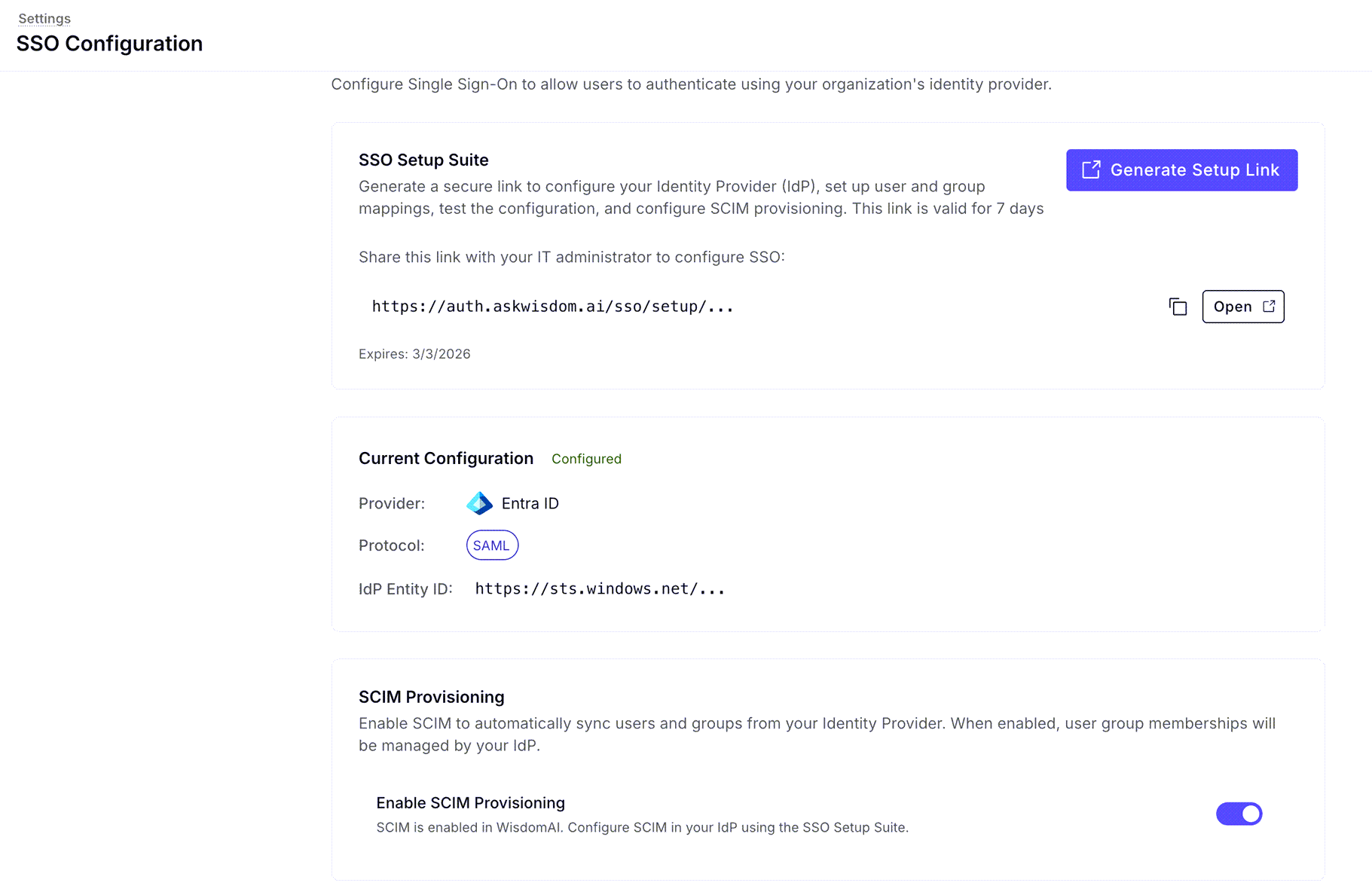
To set up SCIM provisioning, follow these steps:- Generate Setup Link: Open the SSO setup suite and generate a secure setup link.
- Configure your IdP: Share this link with your IT administrator to configure SCIM in your Identity Provider. Note that this link is valid for 7 days.
- Activate: Once the IdP is configured, toggle the Enable SCIM Provisioning option to “on” within your Wisdom settings.
Next steps
Role Mapping & SSO Groups
Automate users’ permission levels by mapping Identity Provider (IdP) data to WisdomAI roles.
Row-Level Access Control
Learn how to restrict data access for specific users or roles at the row level.