

Why this feature exists
Your Domain’s knowledge base (the business context, metric definitions, and terminology that make answers accurate) isn’t a one-time artifact. It degrades. Users ask questions you didn’t anticipate, conversations surface edge cases that expose gaps, and new business logic accumulates in chat before it ever makes it into the Domain. Until recently, that signal was disposable: capturing it required a Domain Admin to remember to go looking for it after the fact. Knowledge Signals from Chat closes that loop across three surfaces: reviewing a full conversation on demand (Surface 1), seeing what context an answer actually used (Surface 2), and, as the newest surface, catching the moment knowledge changes hands while the conversation is still happening, with no button press required (Surface 3).How it works today
Learn how knowledge signals work in WisdomAI:Surface 1: Suggest Knowledge from a Conversation (brain icon)
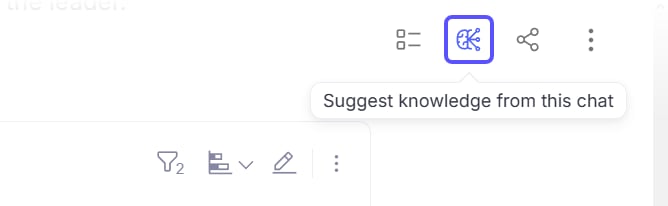
While reviewing any chat conversation in your Domain, you’ll see a small brain icon (AI model icon) in the chat controls bar. This is the Knowledge Suggestions button.- What it does: clicking it sends the full conversation to an AI analysis pipeline that identifies knowledge claims, business rules, and Domain context that don’t yet exist in your Domain knowledge base. It returns a ranked list of suggested knowledge entries.
- What you see: a popover panel, currently labeled “Alpha,” appears with the suggested entries. Each suggestion is editable inline.
- Accept: adds the entry directly to your Domain knowledge base, effective immediately on future queries.
- Decline: dismisses it from the list.
- Edit, then Accept: refine the wording before saving.
Surface 2: “Context Used” on Query Responses
Every answer your Domain produces has an information icon (ⓘ). Clicking it opens the Query Explanation popover, which shows two things:- What we did: a natural language explanation of how the system interpreted your question and constructed the answer.
- Context used: the specific knowledge entries that were retrieved and applied to produce that answer.
Surface 3: Capture knowledge automatically, mid-chat
While chatting, WisdomAI now watches for two signals directly in the conversation, without anyone clicking the brain icon:- An explicit instruction to persist something (“remember this going forward”).
- A statement that corrects or clarifies an existing knowledge entry.
- What it does: when either signal is detected, WisdomAI proposes a knowledge add or update directly below the conversation, using the same review mechanics as Surface 1 (Accept, Decline, or Edit then Accept), just triggered automatically instead of on demand.
- What you see: a suggestion appears inline, below the chat visualization, with no need to open the Knowledge Suggestions popover first.
- Why it matters: Surface 1 only captures knowledge if someone remembers to go looking for it after the fact. Surface 3 catches it in the moment, which is where most of this signal was previously being lost, per the original launch rationale: “it requires the user to explicitly press the brain icon, which they often may not do while chatting.”
User stories
Story 1: Capturing a Definition from a Clarification Exchange
Story 1: Capturing a Definition from a Clarification Exchange
Story 2: Promoting an Analyst's Tribal Knowledge
Story 2: Promoting an Analyst's Tribal Knowledge
Story 3: Using "Context Used" as a Quality Gate
Story 3: Using "Context Used" as a Quality Gate
Story 4: Correcting a definition without leaving the conversation (new)
Story 4: Correcting a definition without leaving the conversation (new)
FAQs
Does accepting a suggestion take effect immediately?
Does accepting a suggestion take effect immediately?
What if I accept something wrong?
What if I accept something wrong?
Can I edit a suggestion before accepting it?
Can I edit a suggestion before accepting it?
How does the system decide what to suggest from a conversation (Surface 1)?
How does the system decide what to suggest from a conversation (Surface 1)?
How does the system decide when to propose a suggestion mid-chat (Surface 3) versus waiting for the brain icon (Surface 1)?
How does the system decide when to propose a suggestion mid-chat (Surface 3) versus waiting for the brain icon (Surface 1)?
Is Surface 3 available to Explorers?
Is Surface 3 available to Explorers?
Why is the feature labeled 'Alpha'?
Why is the feature labeled 'Alpha'?
How is this different from the "Extract from query logs" feature?
How is this different from the "Extract from query logs" feature?
How many suggestions will I typically see per conversation?
How many suggestions will I typically see per conversation?
Is there a way to run Knowledge Suggestions across multiple conversations at once?
Is there a way to run Knowledge Suggestions across multiple conversations at once?
What happens if I decline all suggestions?
What happens if I decline all suggestions?
Can I reopen suggestions I previously declined?
Can I reopen suggestions I previously declined?