

This guide provides administrators with instructions to configure the onboarding experience for Explorer users. This setup involves the following configurations:Documentation Index
Fetch the complete documentation index at: https://docs.wisdom.ai/llms.txt
Use this file to discover all available pages before exploring further.
- Starter Questions: Question examples that appear in the chat interface for new domains.
- Prompt Gallery: A collection of saved, reviewed queries available for users to reuse.
- Autocomplete: Real-time suggestions that appear as users type in the chat.
Starter questions
Starter Questions are disabled by default for new domains. To activate them, you must first generate a set of initial questions. Once generated, you can refine these questions to match your organization’s specific terminology. Then, click on View generated answer to see the SQL tied to your question and the response. To find them, go to Domains > Select a domain > Advanced > Starter Questions.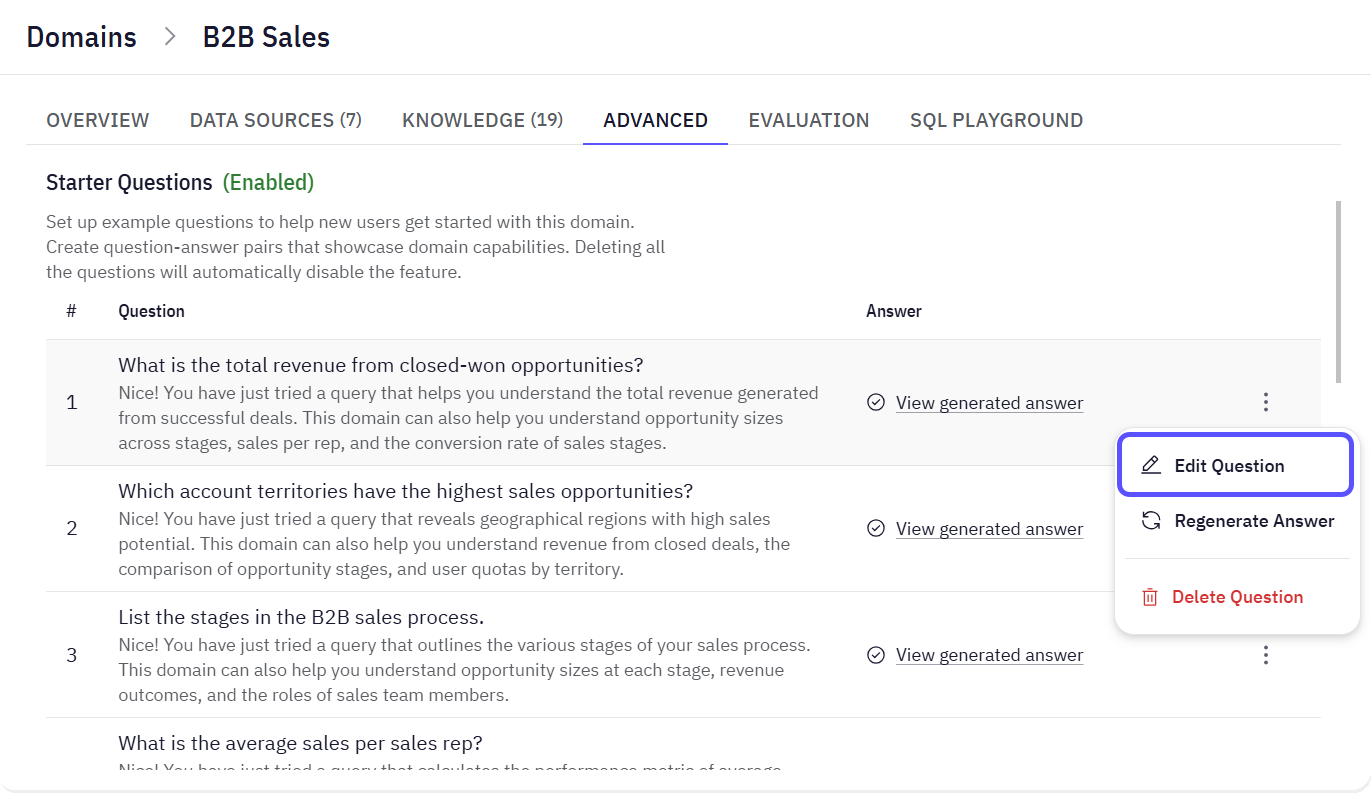
- Currently, you can only edit or delete the default Starter Questions. You cannot add new ones from scratch.
- Deleting all Starter Questions disables the feature. To maintain the feature, edit the existing questions rather than deleting them.
Prompt Gallery
The Prompt Gallery is a collection of reusable prompt templates used to populate the Autocomplete suggestions in the chat. Prompt templates are generated from the chat interface when a response is marked as “reviewed”.TopicsPrompts are sometimes grouped into Topics to organize the gallery. Topics act as categories for prompts that then appear as cards on the homepage for user selection.
Autocomplete
The Autocomplete feature is directly tied to the prompts you create in the gallery. It is a domain-specific function, which means that a suggestion will only be retrieved from the Prompt Gallery of such a domain. When a user starts typing a query in the main chat window, the system will search the Prompt Gallery (when available) for relevant prompts and display them as clickable autocomplete suggestions.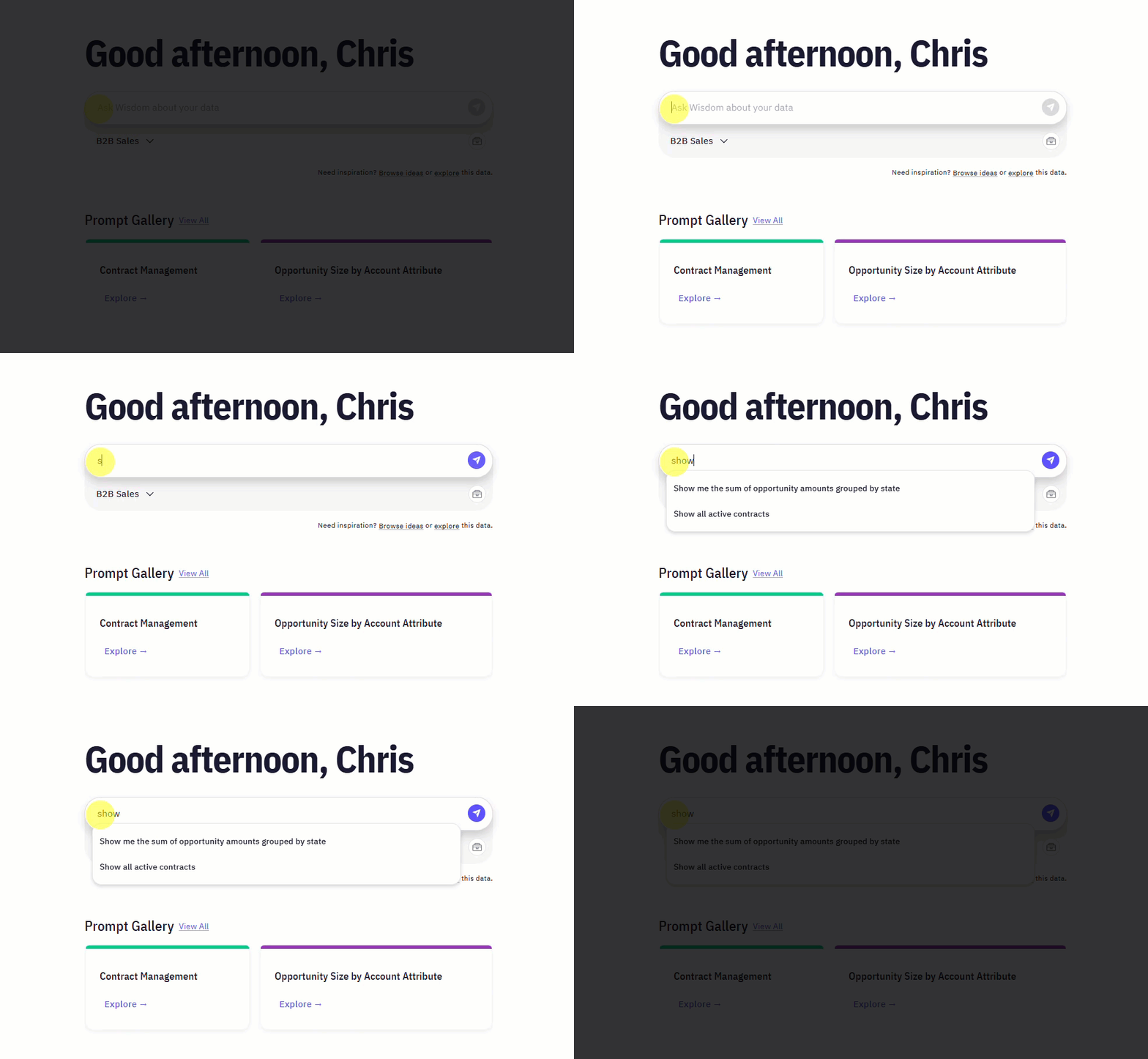
Next steps
Advanced Data Modeling
Define relationships and context in your data to enable more powerful analysis.
Provide Feedback to the System
Learn how to rate answers and provide corrections to improve the system’s accuracy.
Configure Domains
Manage and customize your data domains to refine context and improve query results.