

What you can ask for
Use AI functions when your analysis depends on the meaning of text rather than exact matches or existing values. For categories already stored in your data, keyword matches, and numeric calculations, WisdomAI can query the data directly.
For scoring tasks, define what each level means. WisdomAI selects from your specified labels rather than generating an unrestricted numerical score.
Classify support tickets
To classify support tickets, define the handling teams or categories and the text fields to analyze, such as the subject and description. WisdomAI assigns labels based on the ticket content and visualizes how requests are distributed.- Select Ask mode and a domain. Start a new chat, select Ask, and choose a domain containing your support ticket data.
- Enter a classification prompt. Describe the text to analyze, the categories to use, and the results you want.
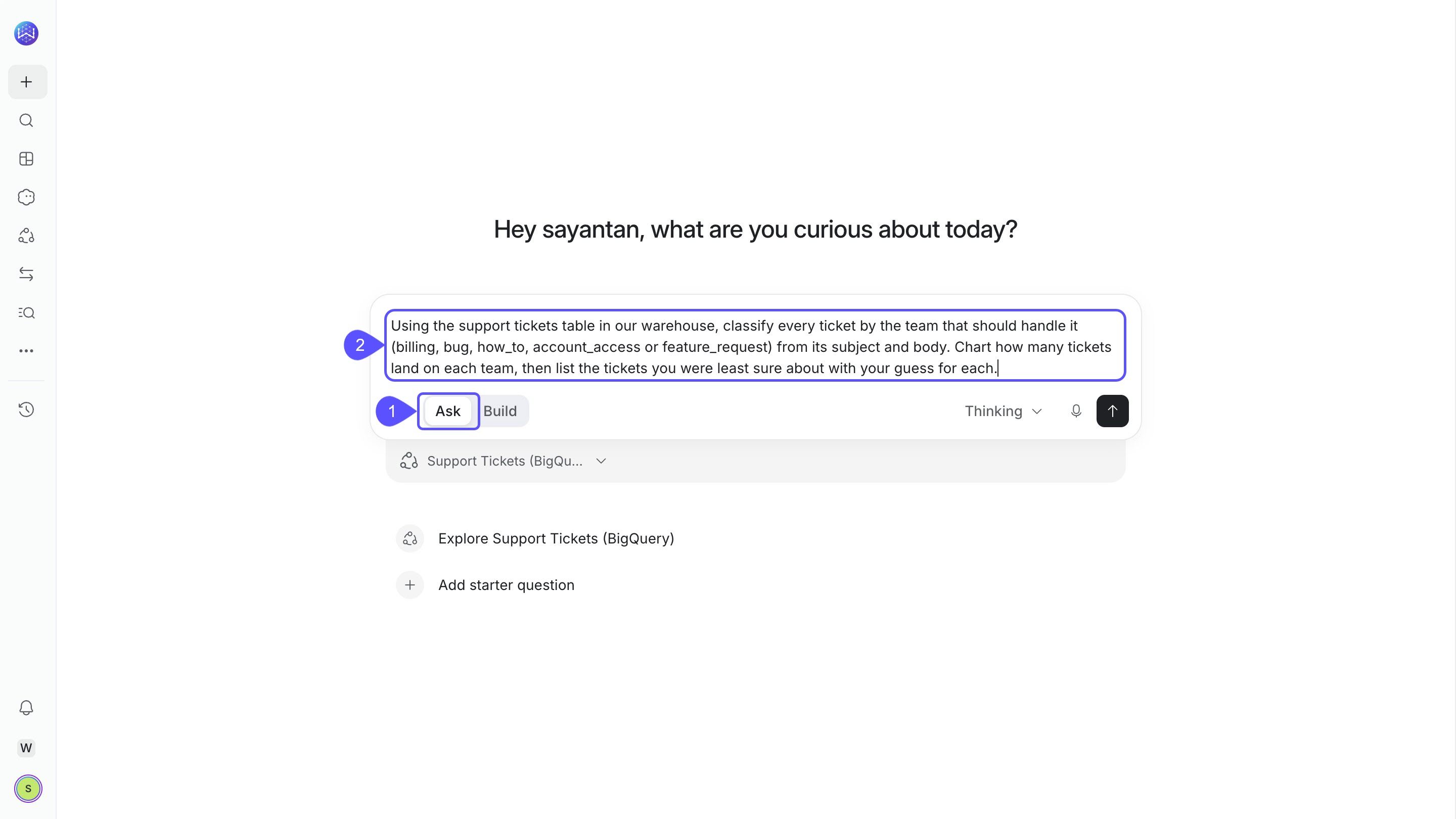
- Review the classification results. Check how the tickets are distributed across the five handling teams.
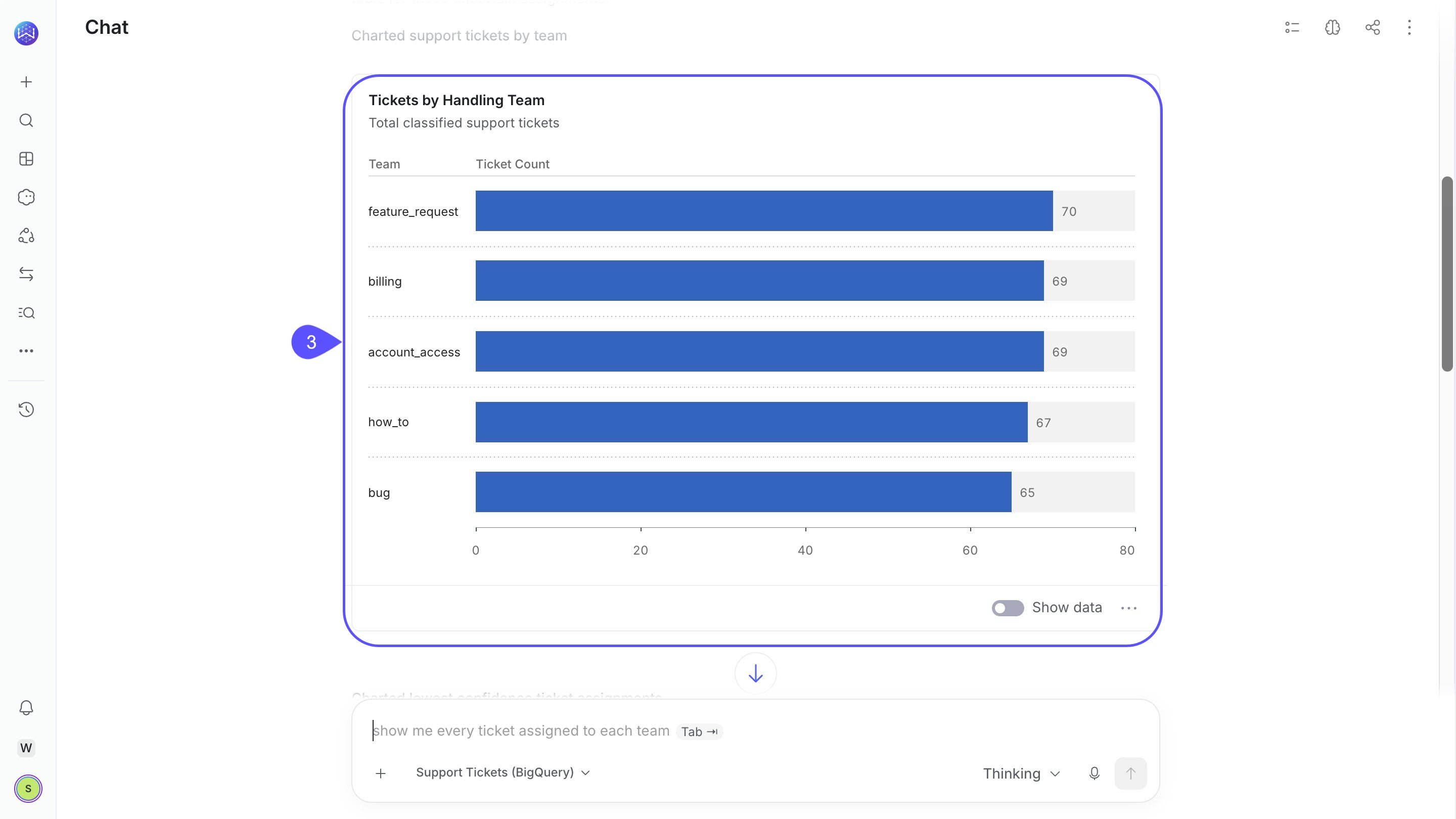
Review uncertain examples and correct them
Some tickets may fit more than one category. WisdomAI can show the examples it was least sure about, along with its suggested classifications, so you can review and refine the results.- Review the suggested classifications. Identify tickets that may belong to a different category.
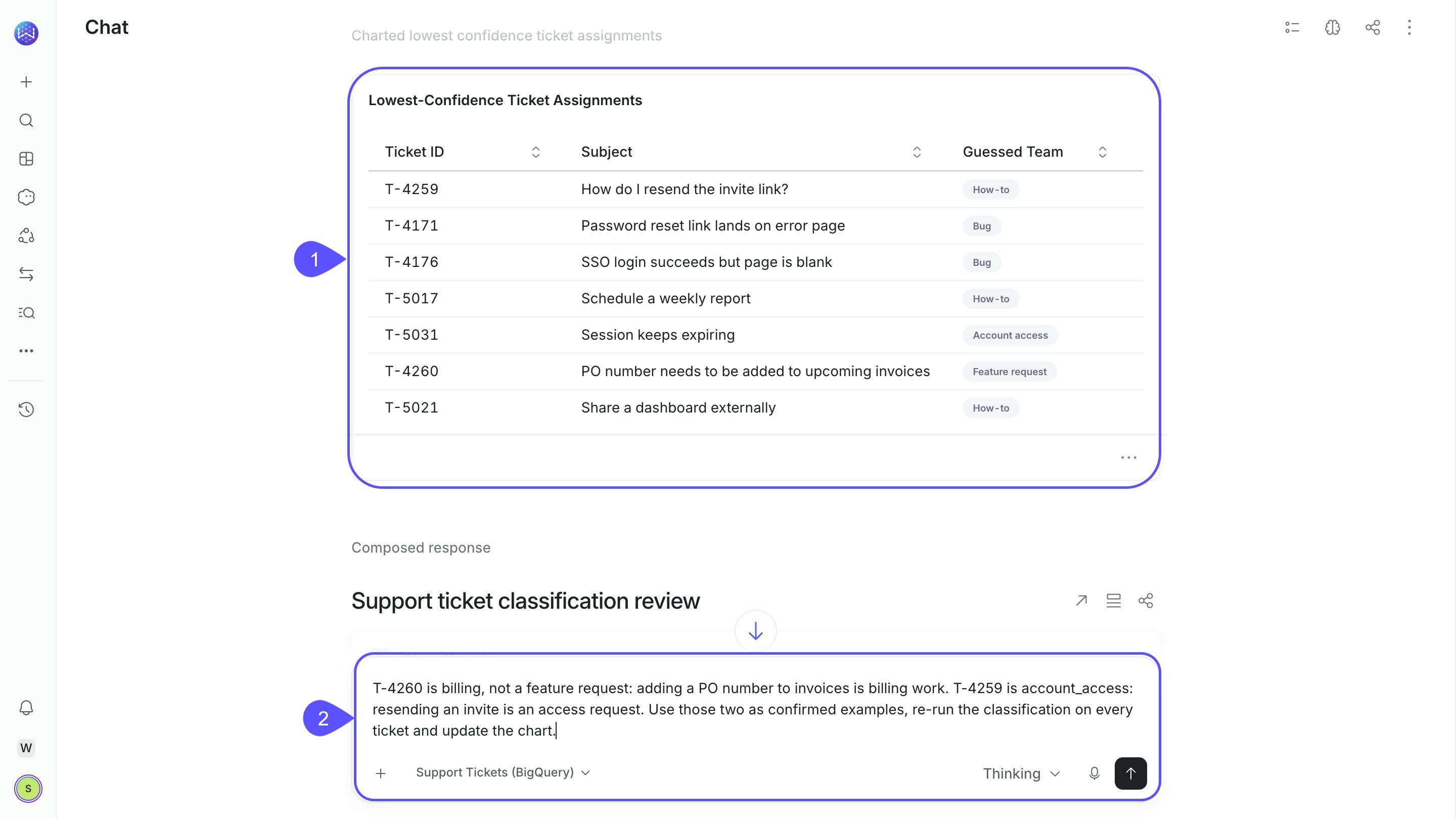
- Correct the classifications. Provide the correct labels in Chat and ask WisdomAI to rerun the analysis.
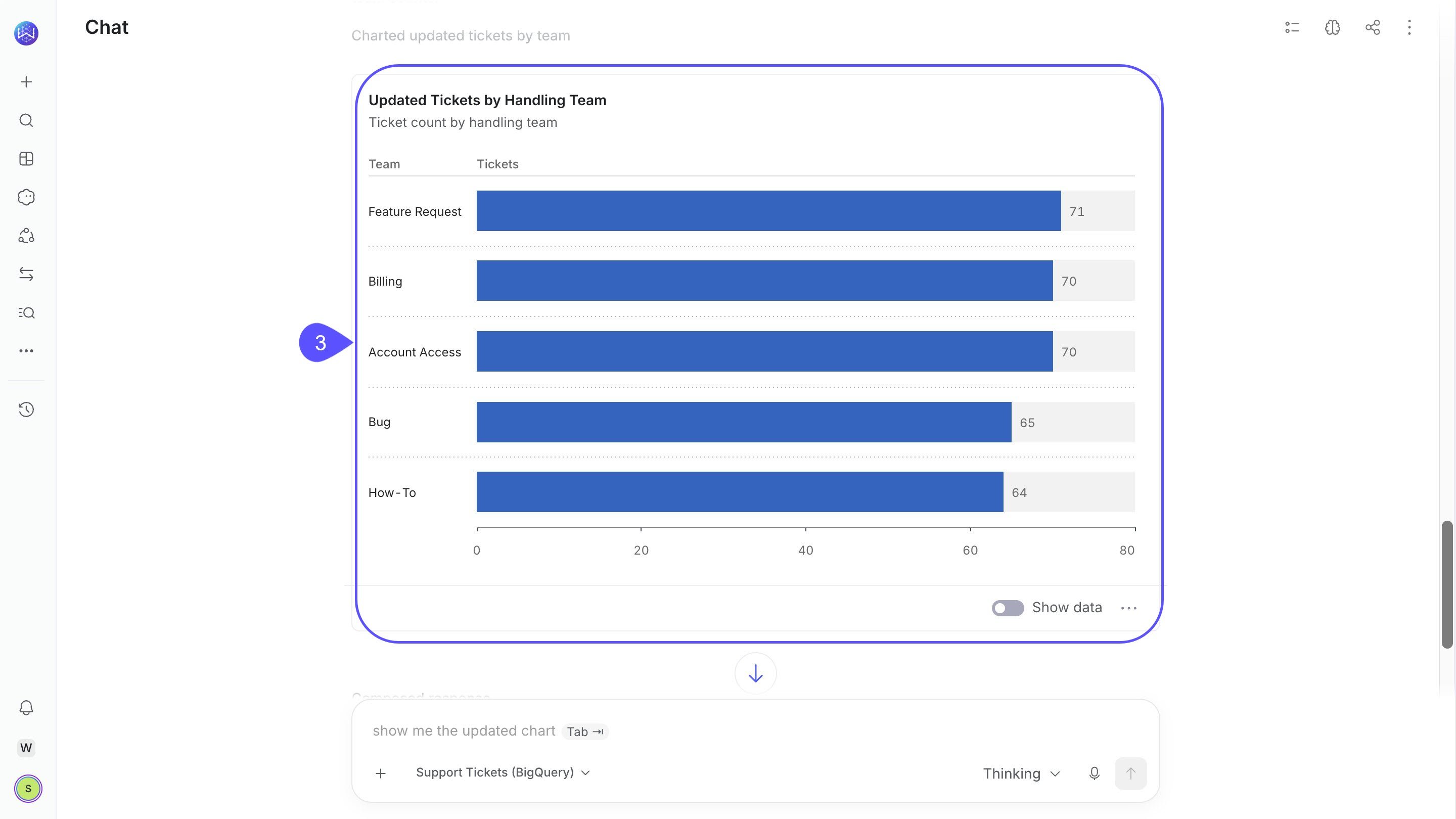
- Review the updated results. Check the revised chart to see how the classifications changed.
Reuse the analysis in a dashboard or Live App
Once you’ve reviewed the classifications, you can add the results to a dashboard or build a Live App that combines them with other analyses. The demo uses the following prompt in Build mode to create the Support Routing Center: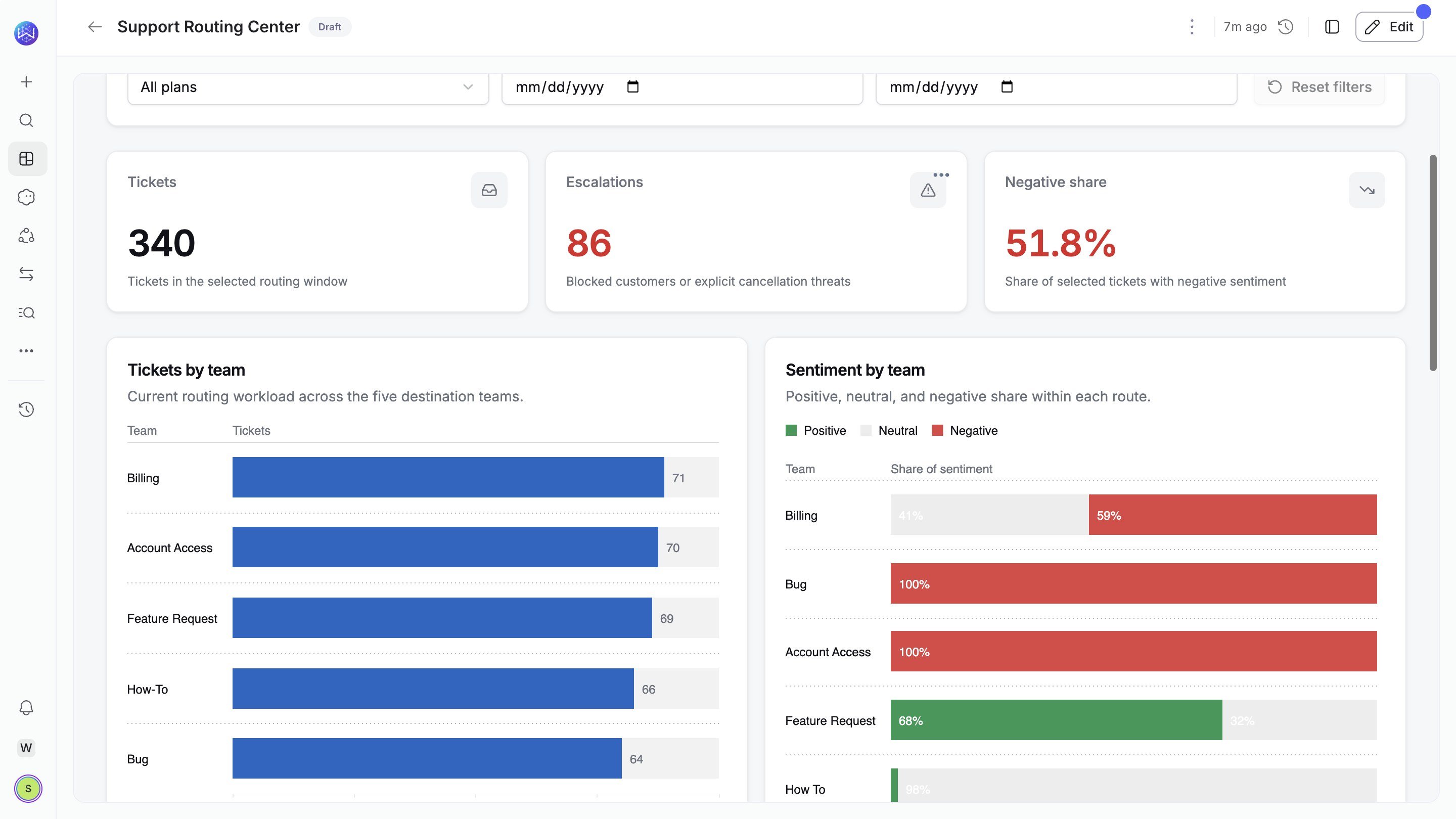
Limits
- AI functions require the appropriate account and domain configuration, including a supported decision model. Contact your administrator or WisdomAI support if the feature is unavailable.
- A classification call supports up to 10,000 distinct input values or combinations of selected columns. Repeated values are evaluated once and mapped back to their rows.
- Very long inputs may be truncated, and some values may remain unanswered if evaluation fails. Check reported failures before treating results as complete.
- AI-generated classifications are judgments. Review ambiguous cases before using them for consequential decisions.
Next steps
Ask Better Questions
Learn how to write effective questions for your data.
Create a Live App
Build an interactive app from your data and analysis.