

Wisdom Smart Cache is in beta and is enabled per account. Contact your WisdomAI representative to turn it on.
Register tables for caching
You can register every cacheable table in a database at once, or register one table at a time. Tables that can’t be cached, such as uploaded files or tables over the size budget, are skipped. See Cache status. First, open the database:- Go to Domains and select a domain.
- Open Data Sources and choose a database.
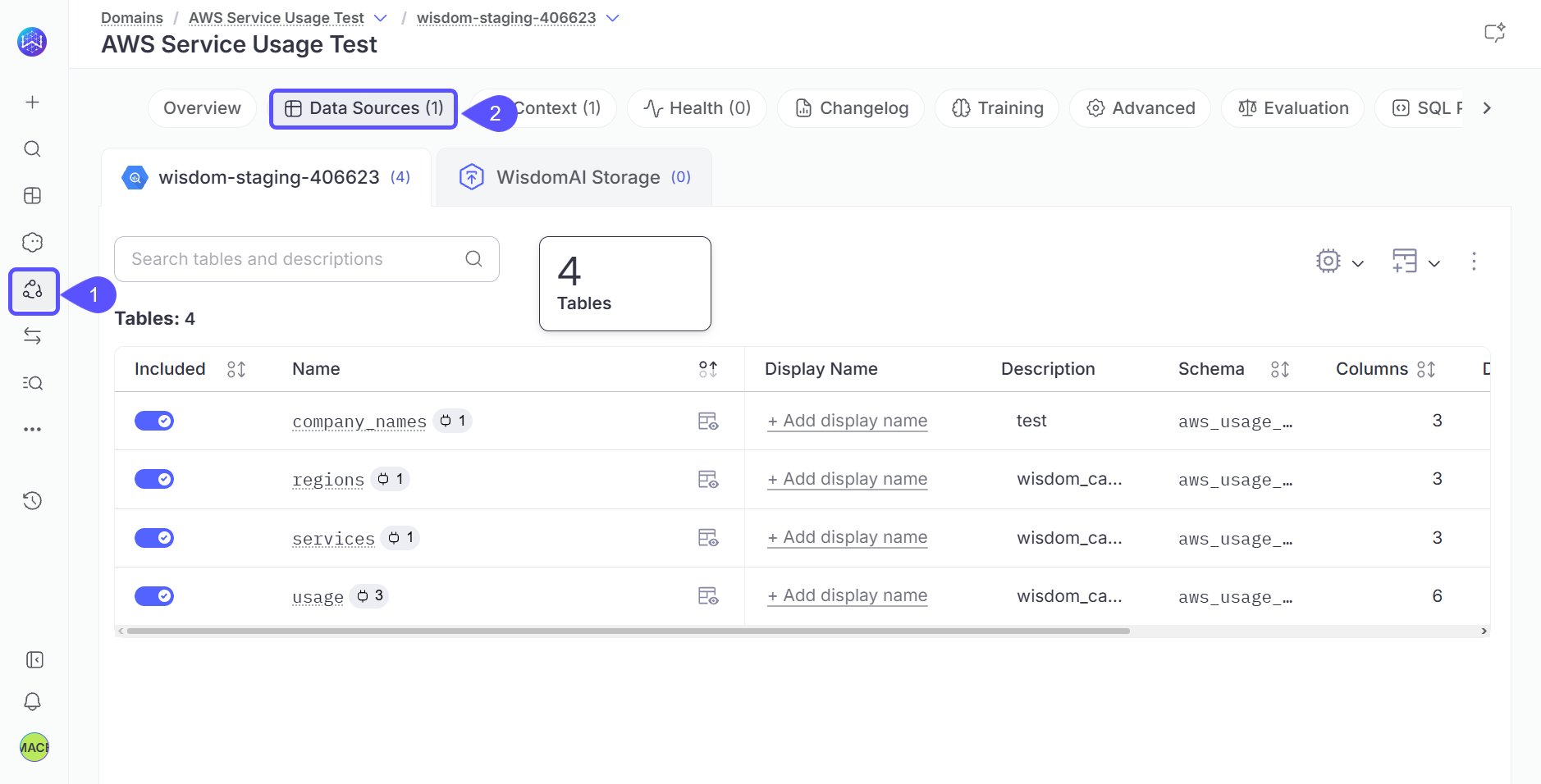
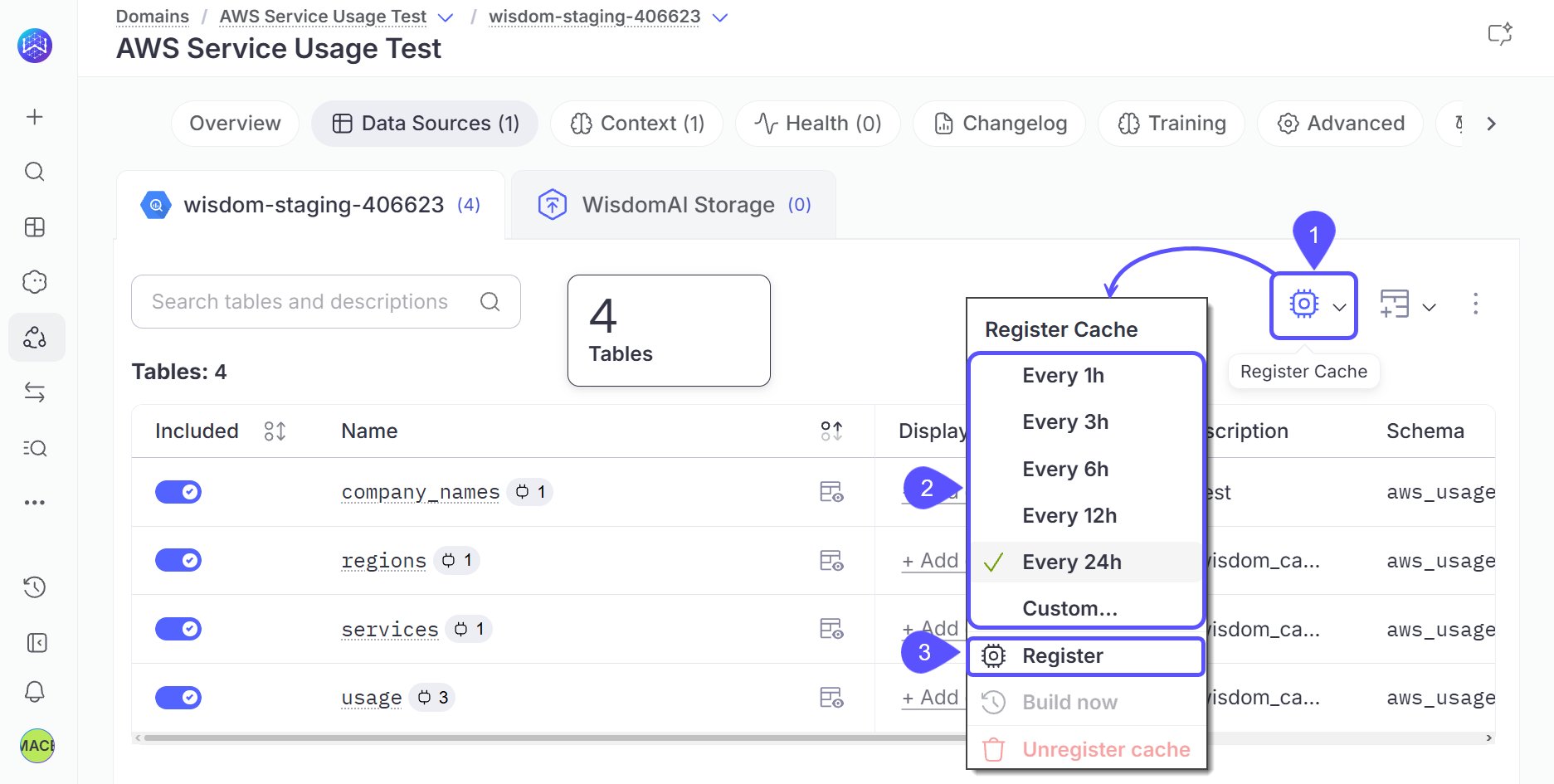
Register all cacheable tables
- Select the cache button next to Add table.
- Choose a rebuild interval: hourly, 3, 6, 12, or 24 hours, or Custom.
- Select Register.
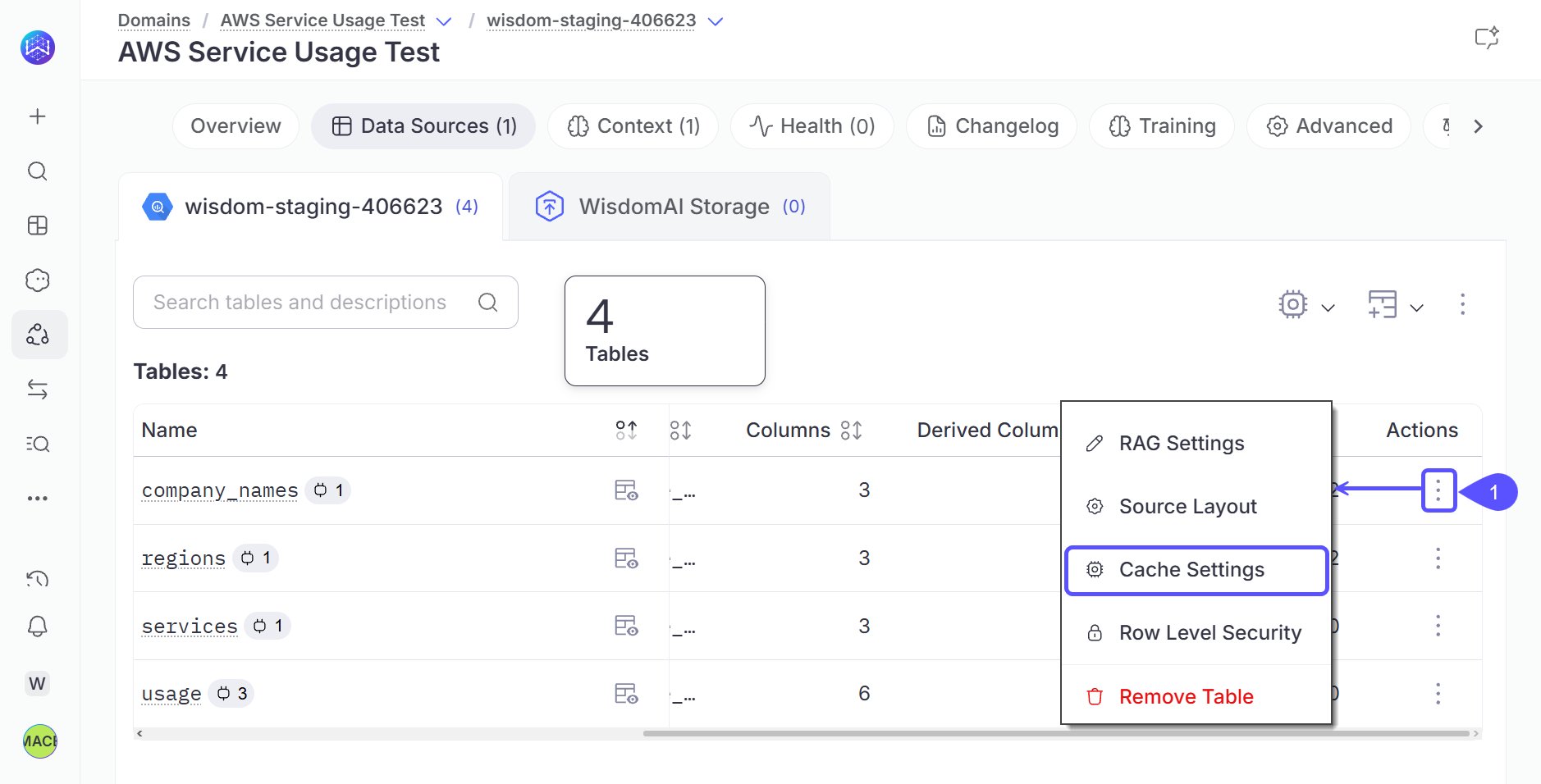
Register a single table
-
Open the table’s … menu and select Cache Settings.
-
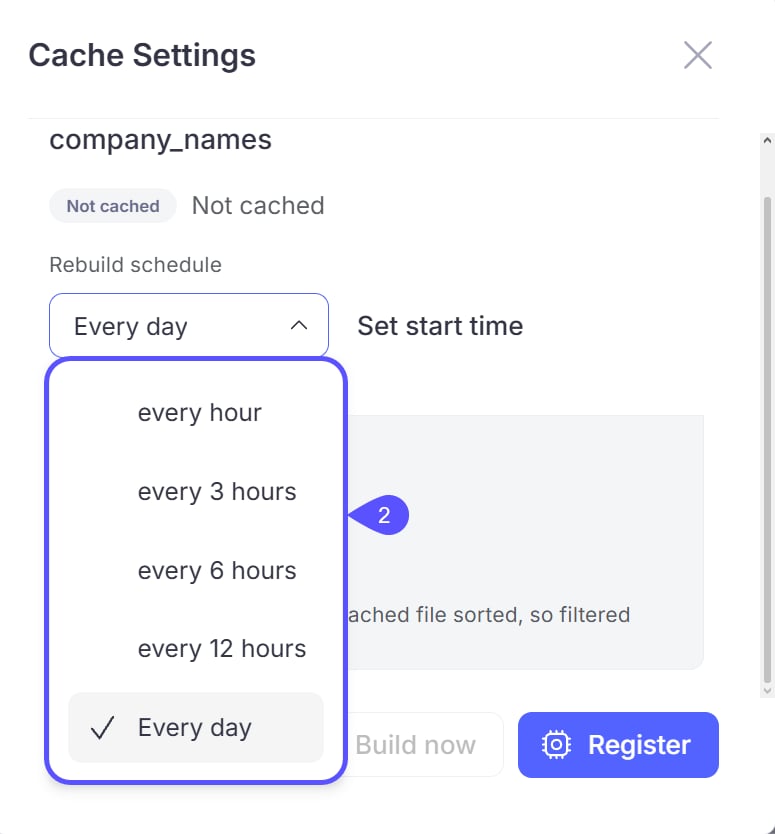
In the Register Cache dialog, choose a rebuild interval.
-
Optional: Add sort columns. Choose the columns you filter on most often, so filtered queries scan less of the snapshot.
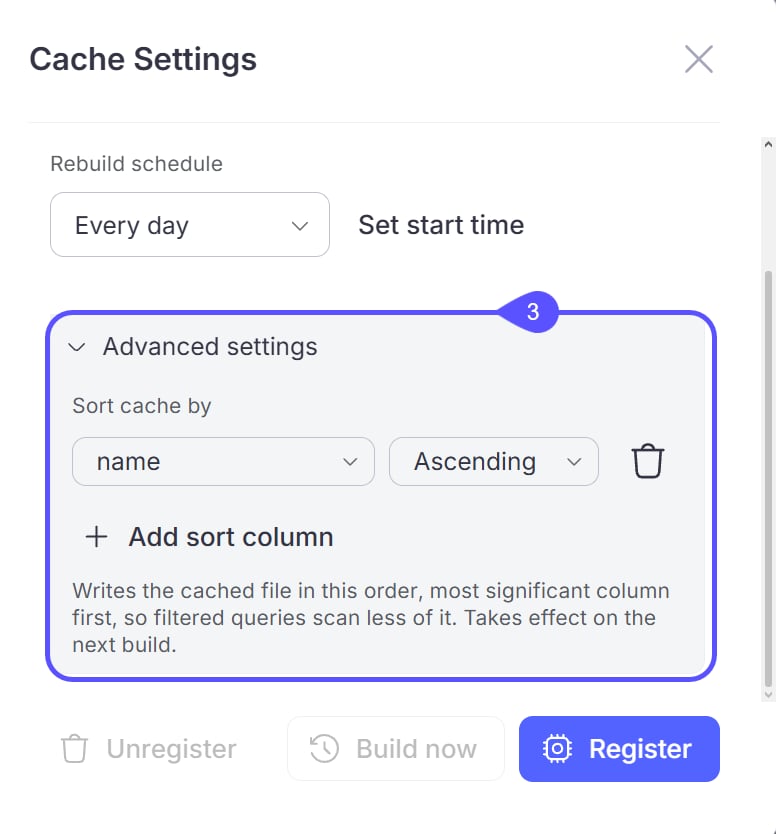
- Click Register to confirm the registration.
Build now applies to both registration methods. Select it to build snapshots immediately instead of waiting for the first scheduled build.
What happens next
A newly registered table shows the Registered status until its first build finishes. It then shows Cached and starts serving queries.Cache status
Registered tables show a status chip:How rebuilds work
A table rebuilds when its interval has elapsed and its source data changed. If the warehouse reports no change, WisdomAI keeps the existing snapshot at no warehouse cost. Build now forces a rebuild. Cache rebuild cadence is separate from column-value crawl cadence. Column-value crawls default to every 7 days and you configure them per domain. Changing one setting doesn’t change the other. Cache builds run as jobs. Site admins and superusers can pause, resume, re-schedule, or cancel them from the Jobs page at/jobs.
Turn caching off for a domain
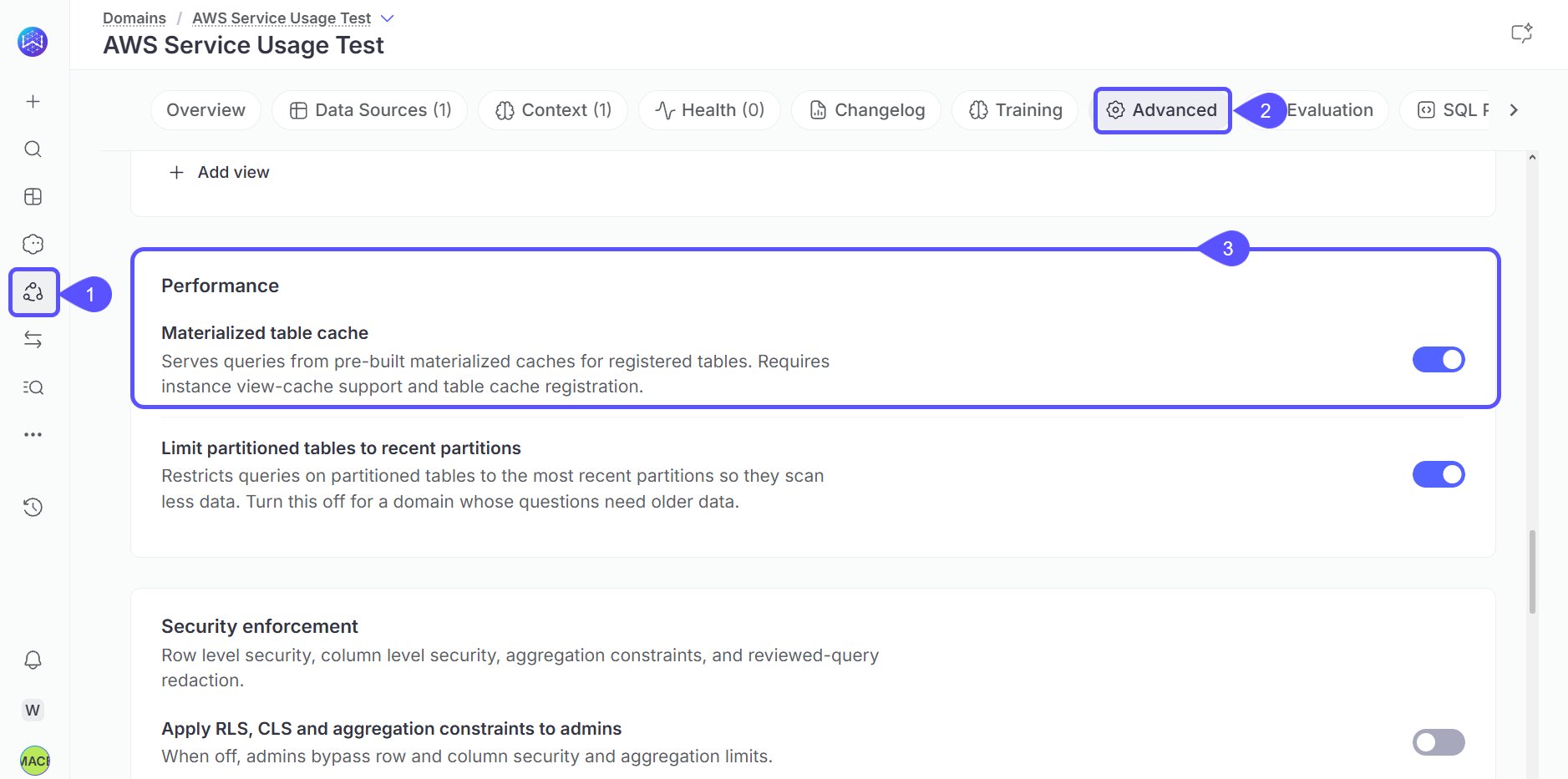
To stop a domain from serving queries from the cache, turn off its table cache setting.- Go to Domains and select a domain.
- Open Advanced settings > Performance.
- Turn off Materialized table cache.
Security
Caching never changes who can see your data.- Row-level security and column masking always apply at query time. Caching never widens what a user can see.
- Data that depends on the querying user is never cached.
Size limits
WisdomAI skips very large tables and marks them Not eligible. Build now retries them.Related articles
The Smart Cache screen
Monitor cache usage and find the apps and dashboards that benefit most from caching.
Cached data on dashboards and apps
See how cached data appears to dashboard viewers and how Refresh Data behaves.