

Configuration steps
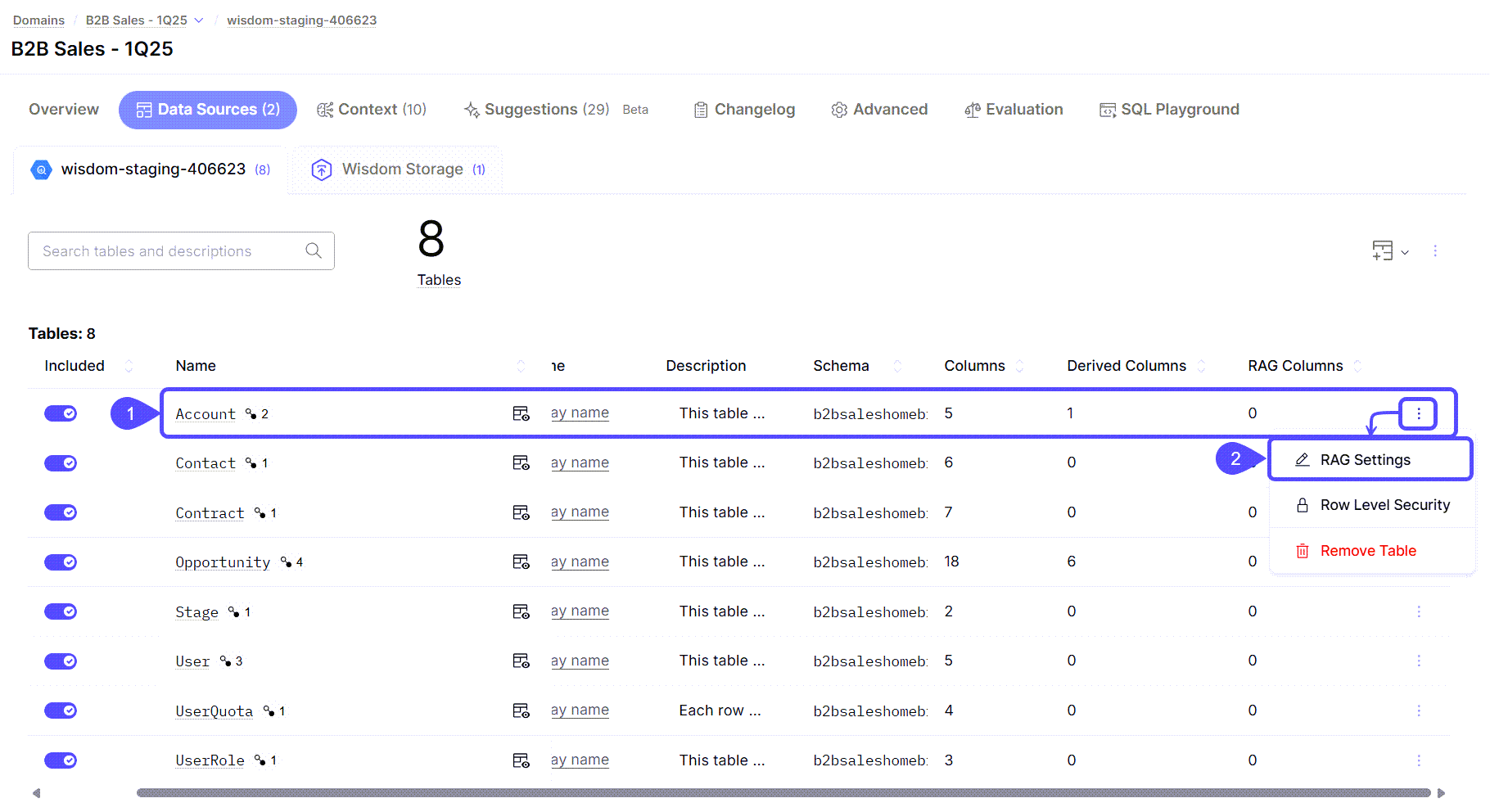
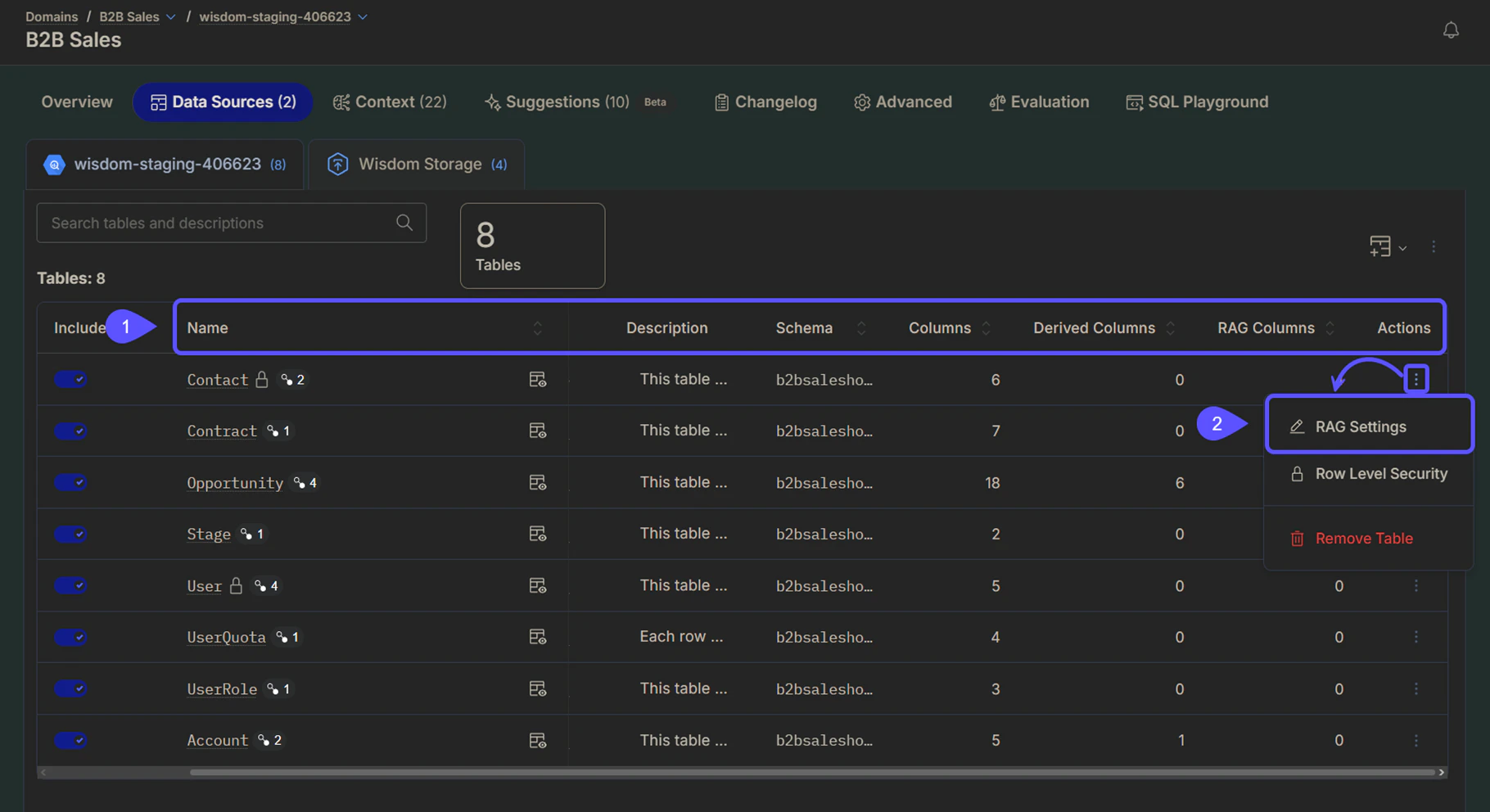
To configure RAG for a table, follow these steps:- Navigate to Domains > Select your preferred domain > Data Sources > Tables and locate the table for which you want to configure RAG columns.
- Click the three vertical dots icon, then click RAG Settings.
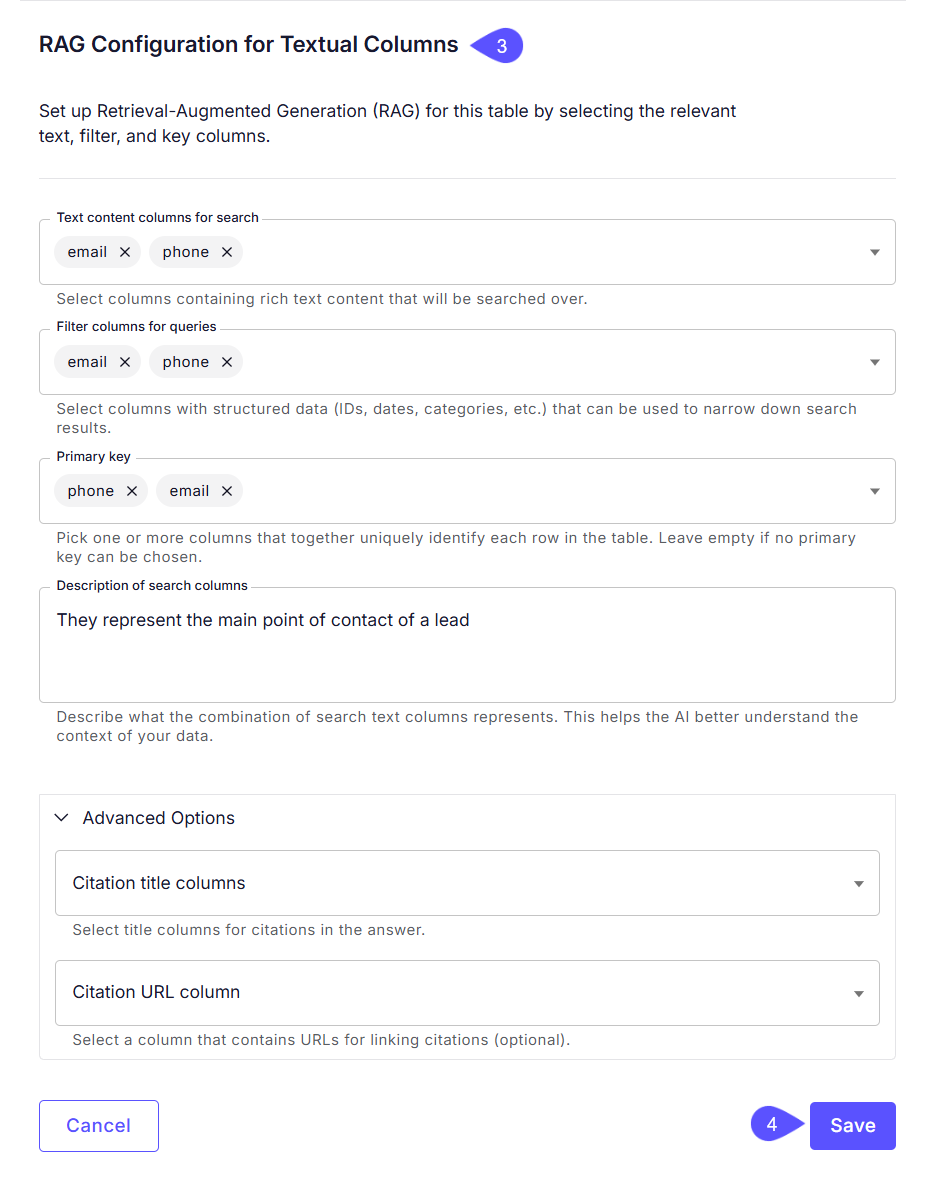
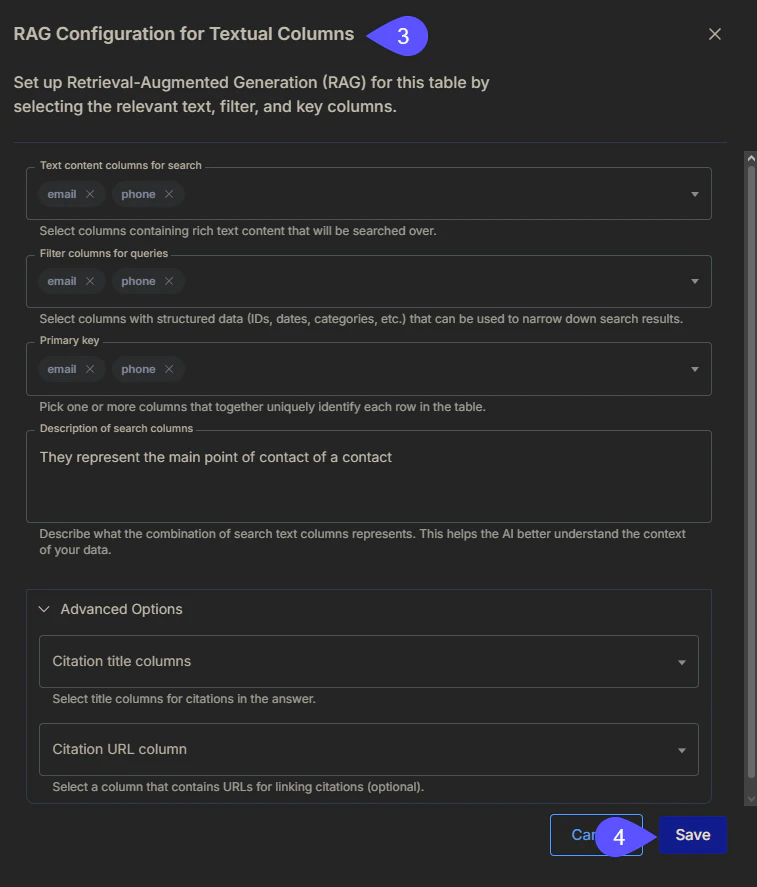
- In the RAG Configuration for Textual Columns window that opens, complete the following:
- In the Text content columns for search field, select the columns that contain rich text content that will be searched over.
- In the Filter columns for queries field, select columns with structured data (such as IDs or dates) to narrow search results.
- In the Primary key field, choose one or more columns that uniquely identify each row in the table.
- In the Description of search columns text box, write a brief description of what the combination of the search columns represents. This helps the AI better understand the context of your data.
- (Optional) Click Advanced Options to specify which columns to include for citation titles and URLs in the AI’s answers.
- Click Save to apply your settings. A notification will appear confirming that the configuration has been updated and that the data sync has been triggered.
Use case example: Analyzing product reviews
Imagine a table containing Amazon product reviews with the following columns:Review ID, Product Name, Date, and Feedback (the open-ended field that contains long user-generated texts). To enable thematic analysis, you would configure the table as follows:
This setup would enable WisdomAI to answer these kinds of questions:
- “What are the positive themes for feedback on iPhone?”
- “What are people complaining about for the iPhone?”
- “What themes are emerging from feedback about the iPhone?”
Advanced Data Modeling
Define relationships and context in your data to enable more powerful analysis.
Provide Feedback to the System
Learn how to rate answers and provide corrections to improve the system’s accuracy.
Understand Domains
Manage and customize your data domains to refine context and improve query results.