

🤖 Metrics & Derived Column Copilots
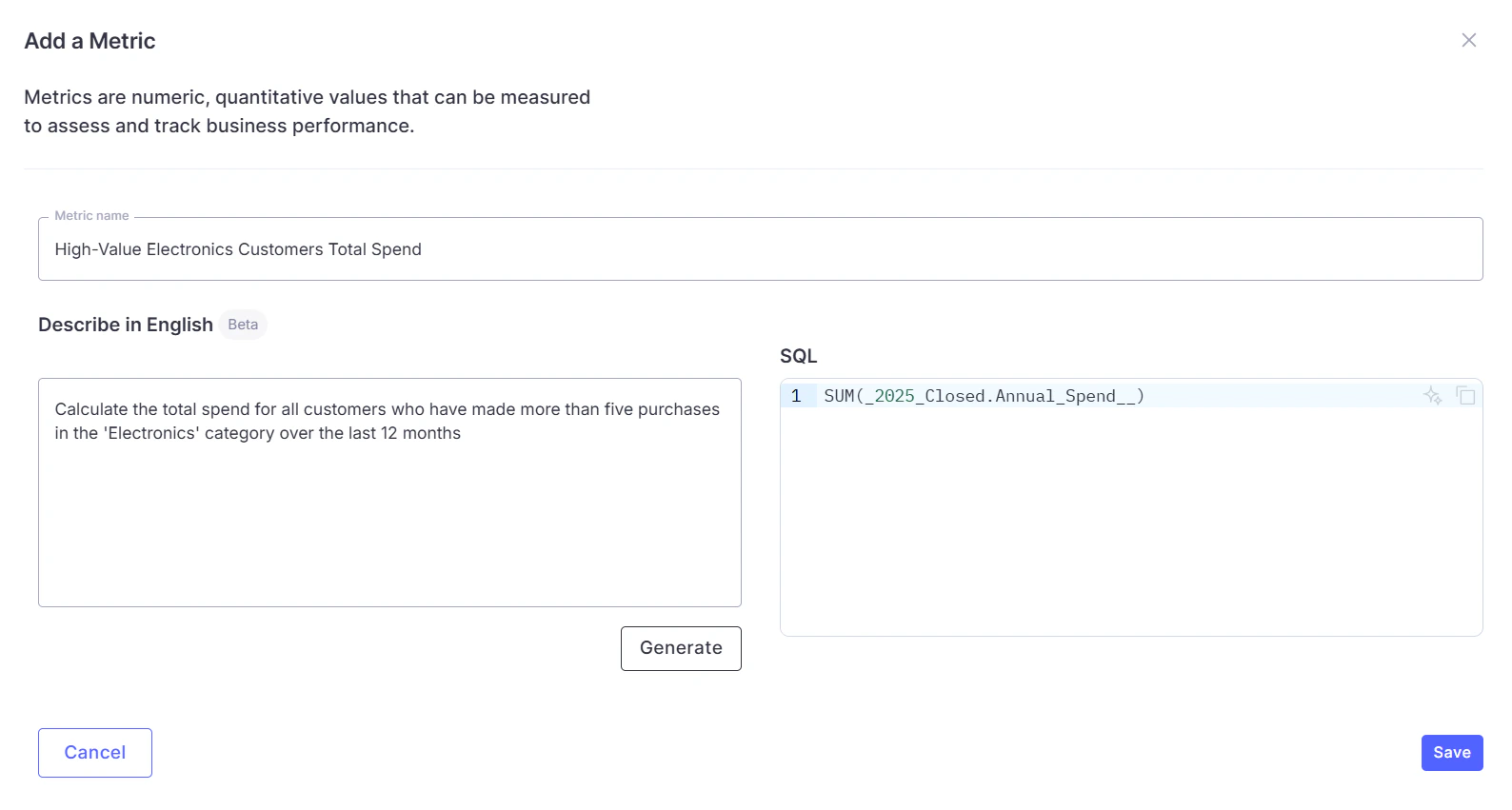
Defining business logic is now much easier with the AI-powered Metrics & Derived Column Copilot. Describe what you want in plain English, and WisdomAI generates the SQL, identifies the correct source table, and validates the expression against your warehouse before saving. The generated SQL is fully editable, allowing you to review and adjust it before adding it to your domain.⚙️ How it works:- Access Context > Metrics tab > Add Metric
- Describe a metric or derived column in natural language and select Generate
- WisdomAI classifies the request, identifies the source table, and generates the SQL
- The query is validated against your warehouse
- Review and edit before saving
FAQs
FAQs
What is the difference between a metric and a derived column?
What is the difference between a metric and a derived column?
A metric is an aggregated value across multiple rows, such as total revenue. A derived column is a row-level calculation, such as combining first and last name. WisdomAI automatically determines which type fits your description.
Can I edit the generated SQL?
Can I edit the generated SQL?
Yes. The right panel is a full SQL editor where you can modify the generated expression before saving it to your domain.
📄 Tabular Extraction from Unstructured Datasets
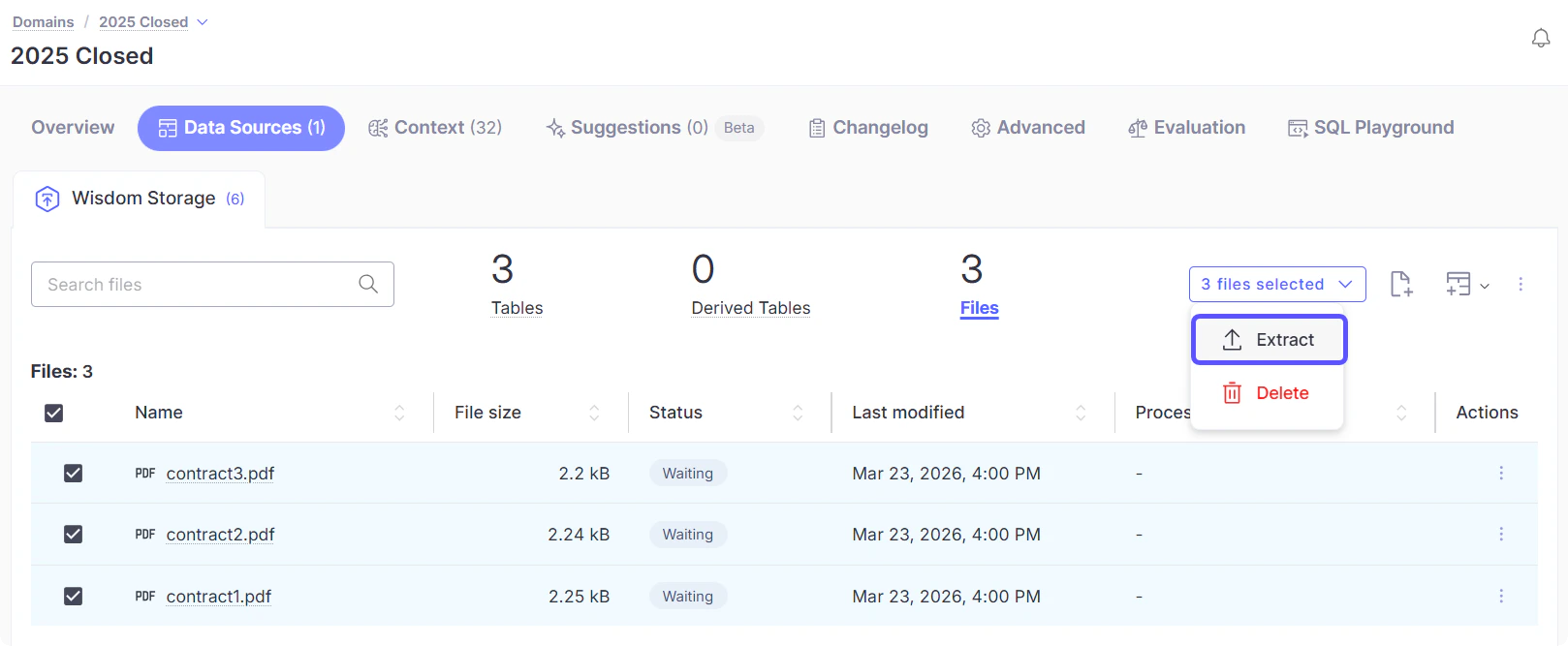
Turn unstructured files, such as PDF, Word, PowerPoint, plain text, Markdown, HTML, JSON, XML, YAML, and image formats into fully queryable tables. By defining fields with plain-English prompts, WisdomAI extracts values from multiple file formats and materializes them as structured data that can be queried, filtered, and joined with your existing datasets.⚙️ How it works:- Upload files to a dataset in a domain, go to Data Sources > Wisdom Storage
- Select the uploaded files and click Extract
- Wait for the status to change to Success, and a new structured table will appear in your domain
FAQs
FAQs
Can I query extracted data alongside my warehouse data?
Can I query extracted data alongside my warehouse data?
Yes. The extracted table appears in your domain alongside your warehouse tables, and you can ask questions that join document data with warehouse data in a single natural-language query.
Can I update my field definitions after extraction?
Can I update my field definitions after extraction?
Yes. If you update your field definitions, you can re-run the extraction, and the table will be updated automatically.
📊 Warehouse Observability
WisdomAI now provides visibility into how your warehouse is queried and how your team uses the platform. A system-generated domain, WisdomAI Usage Metrics, is automatically provisioned for every account.⚙️ How it works:A new system-generated domain is available to Admins in the domain list, featuring two pre-built dashboards:- Warehouse Usage Dashboard: Displays query-level details including execution time, rows returned, bytes scanned, and cache status.
- Usage Analytics Dashboard: Tracks team adoption via conversation counts, active users, questions asked, and feedback rates.
FAQs
FAQs
Where do I find the Warehouse Observability dashboard?
Where do I find the Warehouse Observability dashboard?
It appears in your dashboards list with a “System-generated” badge and is visible only to users with Data Admin or Admin roles.
How often is the data updated?
How often is the data updated?
Query execution logs are written in real time. Enrichment data is updated every 2 hours for Snowflake and Databricks connections.
Is this domain visible to all users?
Is this domain visible to all users?
No. It is restricted to Data Admin and Admin roles. Regular users do not see it in the domain list.
🔐 Login Method Memory
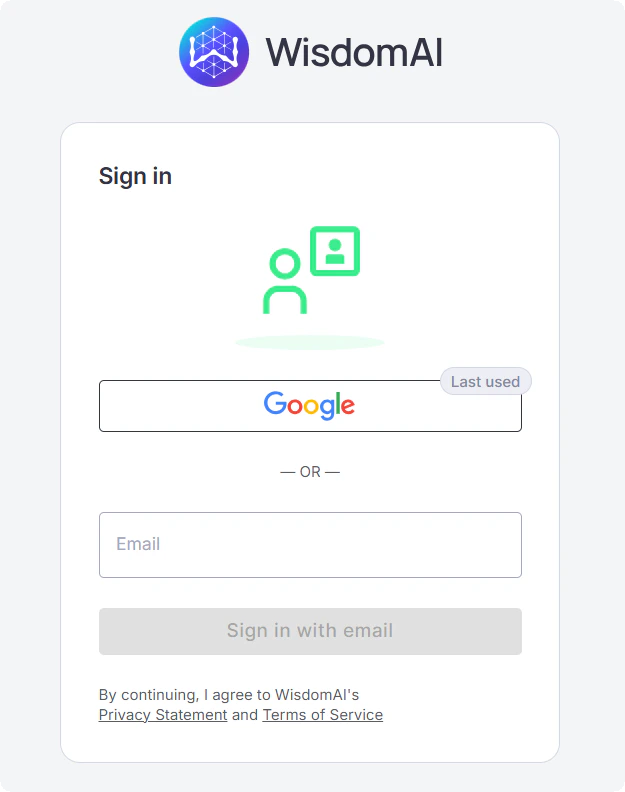
WisdomAI now remembers your last sign-in to streamline future logins. Your previous method, Google, SSO, or email, is highlighted with a “Last used” badge, and email addresses are pre-filled when applicable. This information is stored locally in your browser and is not sent to any server.⚙️ How it works:- Sign in using any available method
- WisdomAI stores the method locally in your browser
- On your next visit, the last method is highlighted with a “Last used” badge
FAQs
FAQs
Is my login information stored securely?
Is my login information stored securely?
Yes. Only your login method and email address are saved, stored locally in your browser. No authentication tokens or passwords are ever stored.
Can I still sign in with a different method?
Can I still sign in with a different method?
Yes. The “Last used” badge is a visual hint only and does not restrict your options. You can select any login method at any time.