> ## Documentation Index
> Fetch the complete documentation index at: https://docs.wisdom.ai/llms.txt
> Use this file to discover all available pages before exploring further.
# Set up RAG for Textual Columns
Retrieval-Augmented Generation (RAG) for Textual Columns makes unstructured long texts, such as product reviews or support tickets, available for AI-based summarization and generation.
RAG indexes the content of specific columns so that Wisdom can answer qualitative questions about the data rather than just returning quantitative counts.
## Configuration steps
To configure RAG for a table, follow these steps:
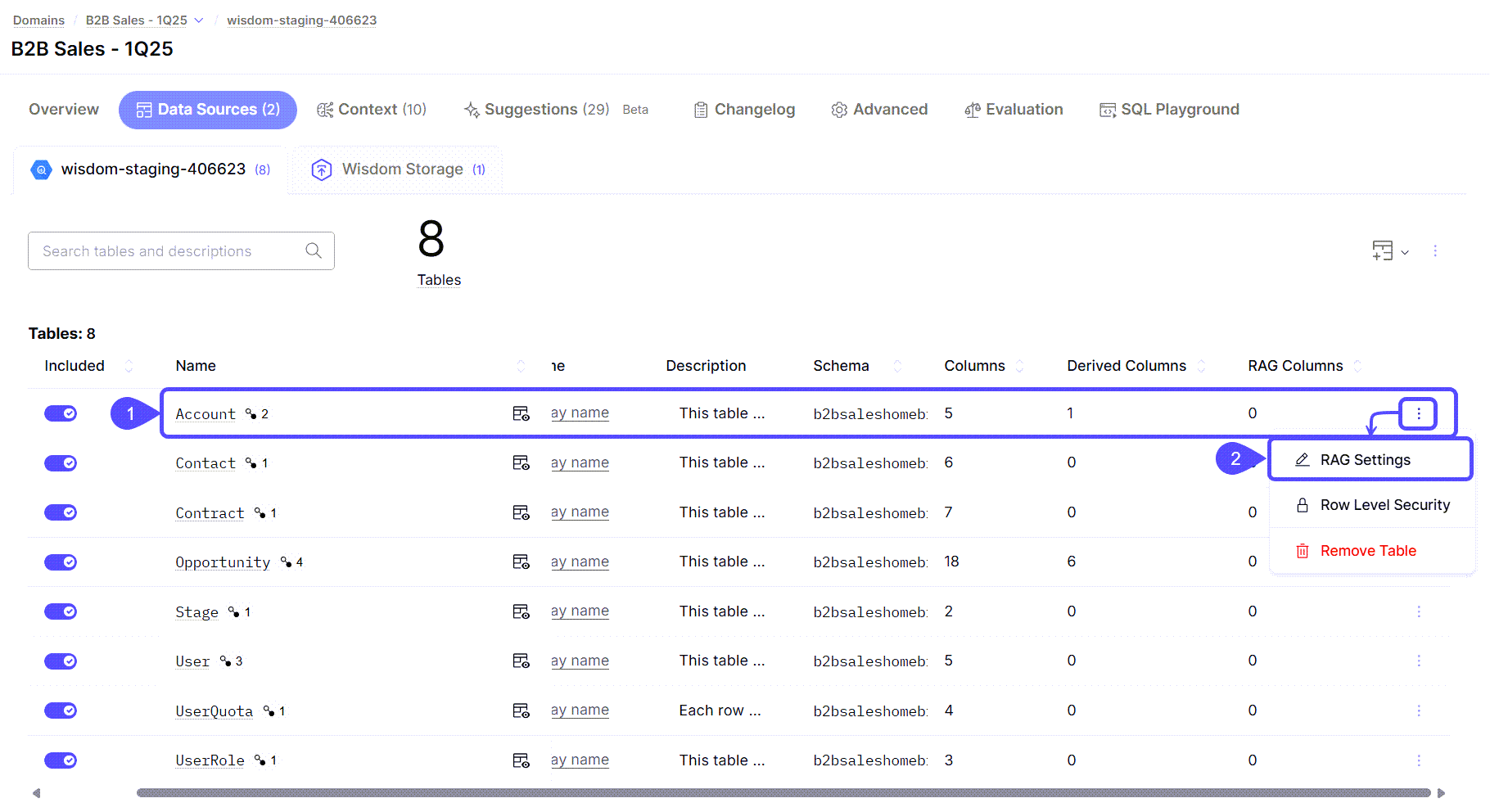
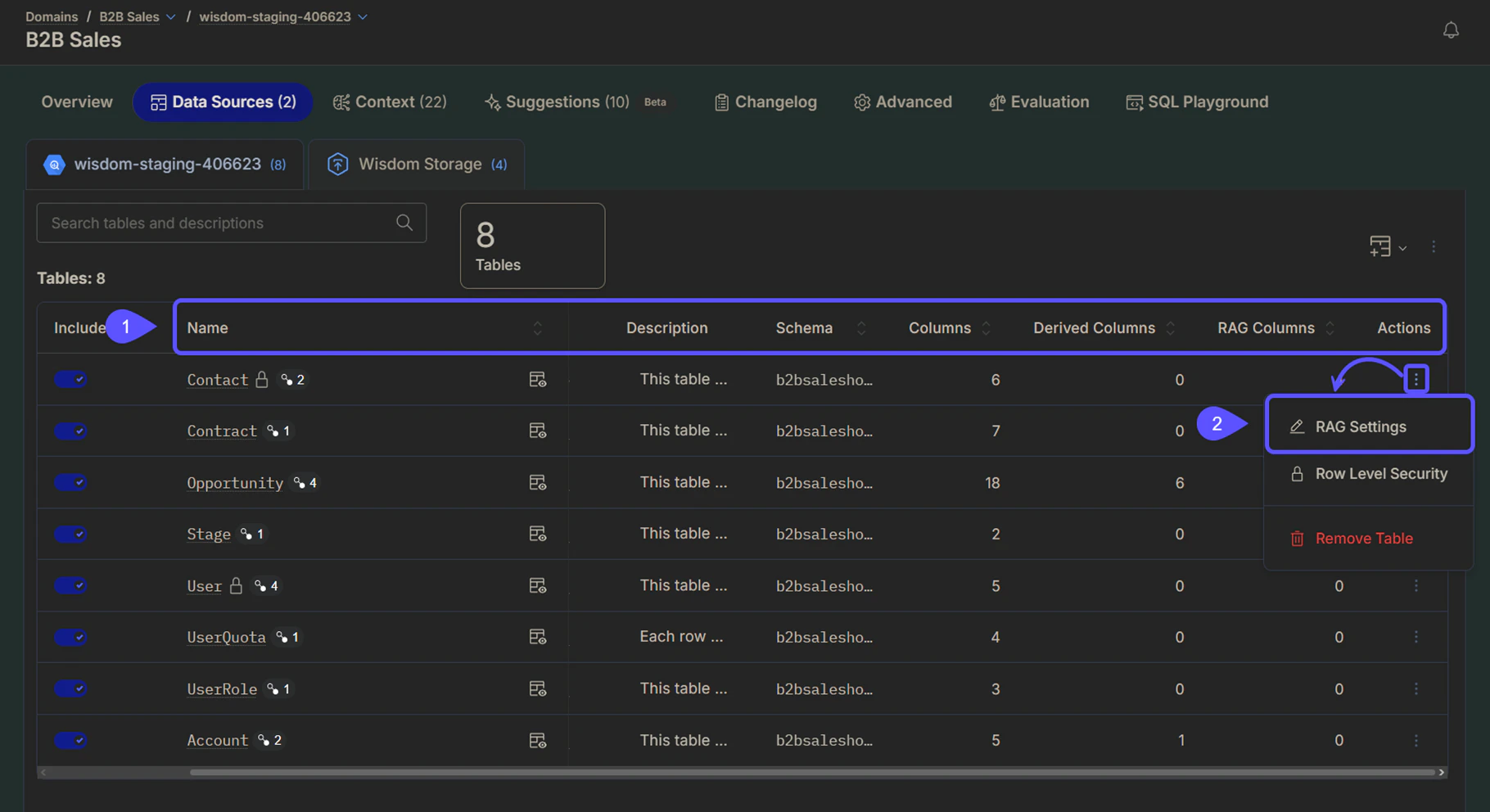
1. Navigate to **Domains** > Select your preferred domain > **Data Sources** > **Tables** and locate the table for which you want to configure RAG columns.
2. Click the **three vertical dots** icon, then click **RAG Settings**.
 3. In the **RAG Configuration for Textual Columns** window that opens, complete the following:
* In the **Text content columns for search** field, select the columns that contain rich text content that will be searched over.
* In the **Filter columns for queries** field, select columns with structured data (such as IDs or dates) to narrow search results.
* In the **Primary key** field, choose one or more columns that uniquely identify each row in the table.
* In the **Description of search columns** text box, write a brief description of what the combination of the search columns represents. This helps the AI better understand the context of your data.
* (Optional) Click **Advanced Options** to specify **which columns to include for citation titles** **and URLs** in the AI's answers.
4. Click **Save** to apply your settings. A notification will appear confirming that the configuration has been updated and that the data sync has been triggered.
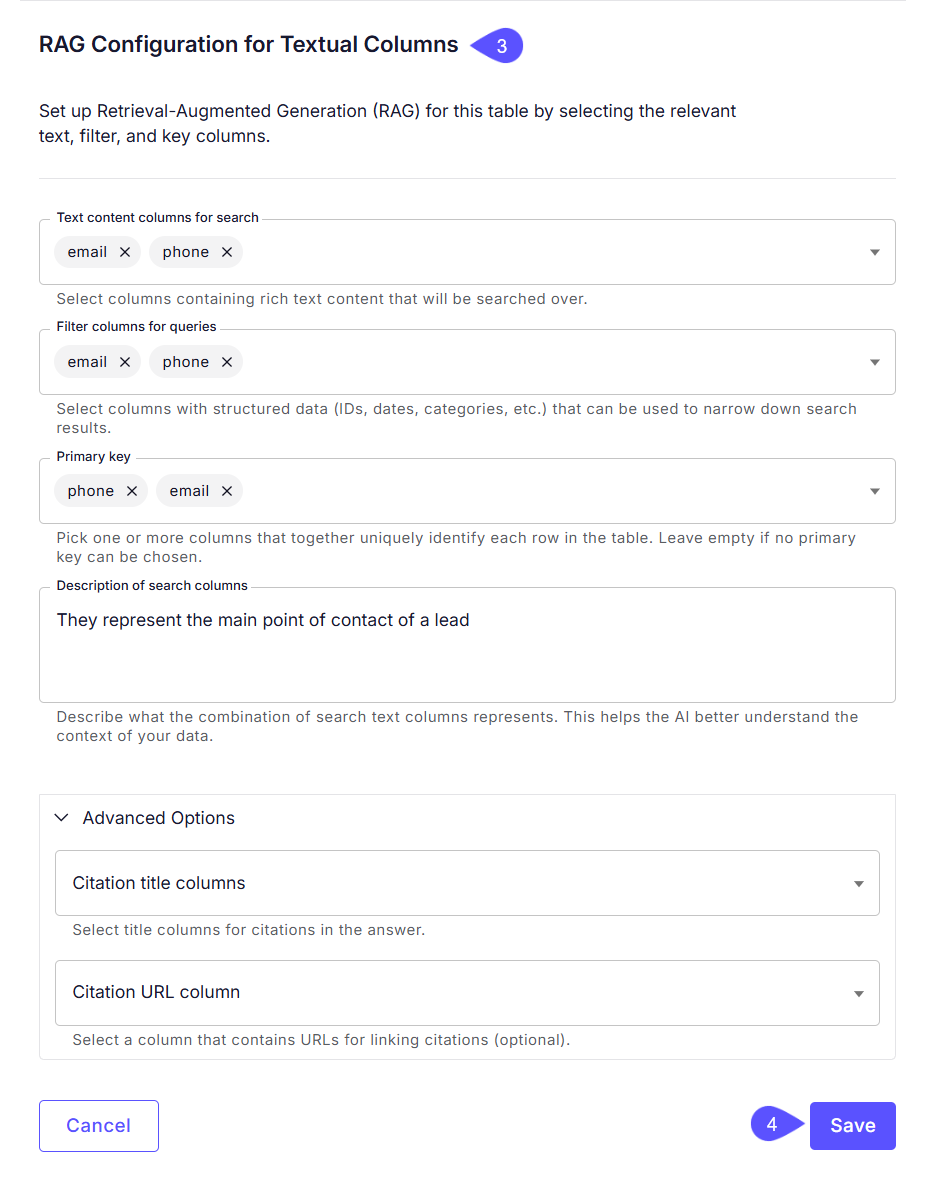
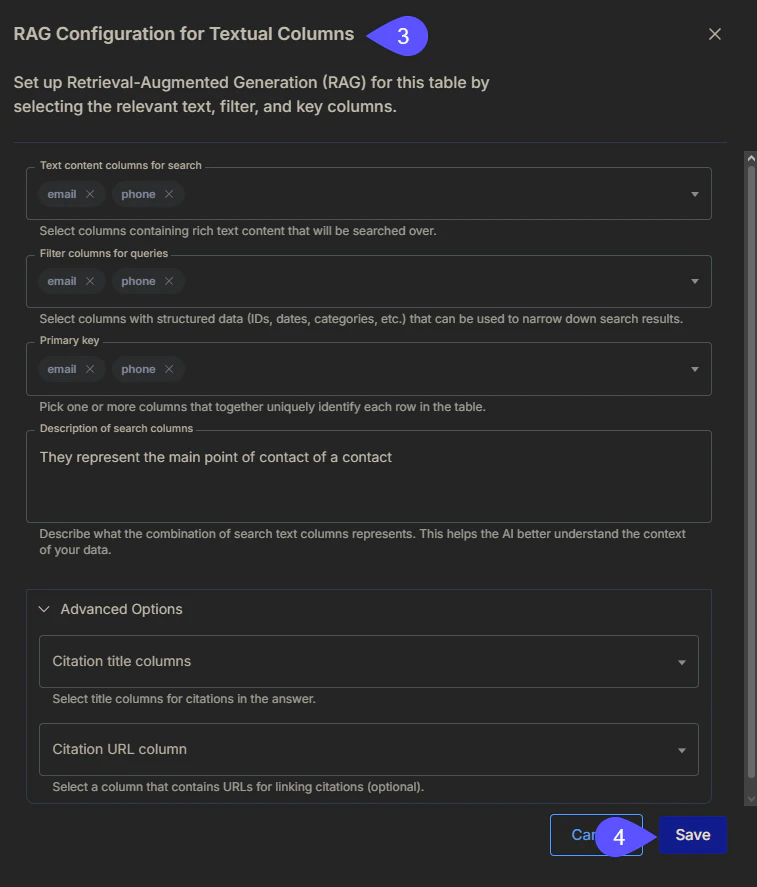
3. In the **RAG Configuration for Textual Columns** window that opens, complete the following:
* In the **Text content columns for search** field, select the columns that contain rich text content that will be searched over.
* In the **Filter columns for queries** field, select columns with structured data (such as IDs or dates) to narrow search results.
* In the **Primary key** field, choose one or more columns that uniquely identify each row in the table.
* In the **Description of search columns** text box, write a brief description of what the combination of the search columns represents. This helps the AI better understand the context of your data.
* (Optional) Click **Advanced Options** to specify **which columns to include for citation titles** **and URLs** in the AI's answers.
4. Click **Save** to apply your settings. A notification will appear confirming that the configuration has been updated and that the data sync has been triggered.
 ## Use case example: Analyzing product reviews
Imagine a table containing Amazon product reviews with the following columns: `Review ID`, `Product Name`, `Date`, and `Feedback` (the open-ended field that contains long user-generated texts). To enable thematic analysis, you would configure the table as follows:
| **Configuration Field** | **Selected Column** | **Purpose** |
| :-------------------------- | :--------------------- | :------------------------------------------------------------------ |
| **Text content for search** | `Feedback` | Contains the long texts that the AI will summarize. |
| **Filters for queries** | `Product Name`, `Date` | Allows Wisdom to narrow the search to specific items or timeframes. |
| **Primary Key** | `Review ID` | Uniquely identifies each row to aid in accurate data retrieval. |
**This setup would enable WisdomAI to answer these kinds of questions:**
* "What are the positive themes for feedback on iPhone?"
* "What are people complaining about for the iPhone?"
* "What themes are emerging from feedback about the iPhone?"
**Filter Limitations**
If you do not include a column, such as `Date`, in the **Filters for queries** field, WisdomAI cannot effectively use it to narrow down results. For example, if `Date` is not selected as a filter, WisdomAI cannot answer: *"What is the positive feedback for iPhone in 2026?"*
Define relationships and context in your data to enable more powerful analysis.
Learn how to rate answers and provide corrections to improve the system's accuracy.
Manage and customize your data domains to refine context and improve query results.
## Use case example: Analyzing product reviews
Imagine a table containing Amazon product reviews with the following columns: `Review ID`, `Product Name`, `Date`, and `Feedback` (the open-ended field that contains long user-generated texts). To enable thematic analysis, you would configure the table as follows:
| **Configuration Field** | **Selected Column** | **Purpose** |
| :-------------------------- | :--------------------- | :------------------------------------------------------------------ |
| **Text content for search** | `Feedback` | Contains the long texts that the AI will summarize. |
| **Filters for queries** | `Product Name`, `Date` | Allows Wisdom to narrow the search to specific items or timeframes. |
| **Primary Key** | `Review ID` | Uniquely identifies each row to aid in accurate data retrieval. |
**This setup would enable WisdomAI to answer these kinds of questions:**
* "What are the positive themes for feedback on iPhone?"
* "What are people complaining about for the iPhone?"
* "What themes are emerging from feedback about the iPhone?"
**Filter Limitations**
If you do not include a column, such as `Date`, in the **Filters for queries** field, WisdomAI cannot effectively use it to narrow down results. For example, if `Date` is not selected as a filter, WisdomAI cannot answer: *"What is the positive feedback for iPhone in 2026?"*
Define relationships and context in your data to enable more powerful analysis.
Learn how to rate answers and provide corrections to improve the system's accuracy.
Manage and customize your data domains to refine context and improve query results.