> ## Documentation Index
> Fetch the complete documentation index at: https://docs.wisdom.ai/llms.txt
> Use this file to discover all available pages before exploring further.
# Reviewed Runs in Agents
Marking a run as a reference sets the standard for how your agent should behave, allowing the system to learn from its most successful outputs. When an agent execution meets your quality requirements, you can validate it to ensure consistency over time and prevent performance regressions. These historical examples provide the agent with a proven foundation to build on, replicating SQL patterns and formatting styles that already work.
This guide explains how to mark runs as reviewed, how the context injection works, and the benefits for your automated workflows.
## How it works
The process for using reviewed runs as a reference follows three main stages to ensure your agents maintain high standards over time.
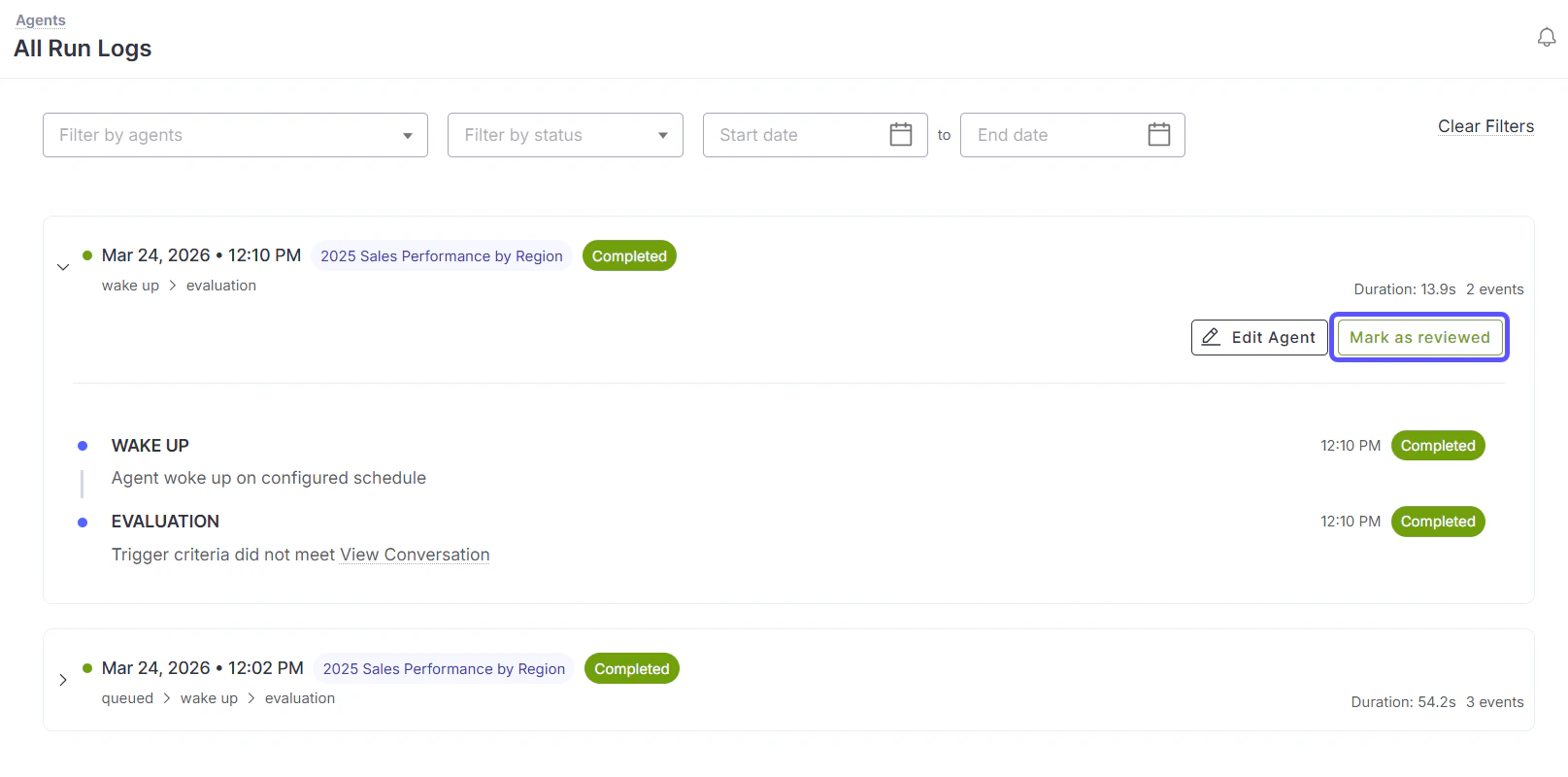
After an agent completes a successful run, navigate to the **Previous Runs** list. Click the **Mark as reviewed** button on the specific execution that produced the desired result.
WisdomAI stores the full context of that validated run, including the specific steps taken, the generated SQL, and the exact output formatting used.
On future executions, WisdomAI automatically retrieves up to 3 of the most recently reviewed runs. These are injected as historical reference examples before the agent begins its new task, guiding it to follow the established logic and style.
 This feature acts as a regression guard, ensuring that once you have perfected an agent's behavior, that quality is preserved across future updates and similar queries.
## Key capabilities
Reviewed runs provide the following technical advantages for maintaining agent performance:
* **Manual Validation:** Choose exactly which success-status runs to promote as references via the **Mark as reviewed** button.
* **Contextual Injection:** Automatically utilize up to 3 recently reviewed runs per execution for historical guidance.
* **Logic Consistency:** Improve the reliability of SQL patterns and tool call sequencing by providing a "gold standard" for the agent to follow.
* **Formatting Control:** Ensure the agent maintains a consistent output structure, which is critical for teams running recurring weekly or monthly reports.
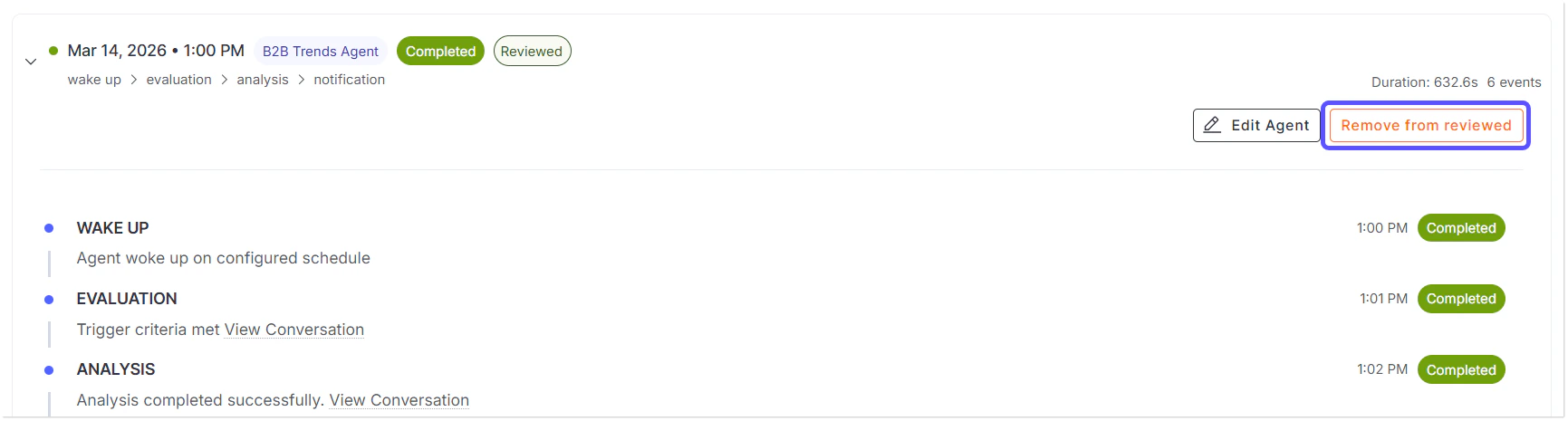
* **Reversibility:** Remove the reviewed status at any time to update your reference library and ensure only the best examples are used.
This feature acts as a regression guard, ensuring that once you have perfected an agent's behavior, that quality is preserved across future updates and similar queries.
## Key capabilities
Reviewed runs provide the following technical advantages for maintaining agent performance:
* **Manual Validation:** Choose exactly which success-status runs to promote as references via the **Mark as reviewed** button.
* **Contextual Injection:** Automatically utilize up to 3 recently reviewed runs per execution for historical guidance.
* **Logic Consistency:** Improve the reliability of SQL patterns and tool call sequencing by providing a "gold standard" for the agent to follow.
* **Formatting Control:** Ensure the agent maintains a consistent output structure, which is critical for teams running recurring weekly or monthly reports.
* **Reversibility:** Remove the reviewed status at any time to update your reference library and ensure only the best examples are used.
 ## Target users
The reviewed runs feature is specifically designed for:
* **Agent owners & builders** who want to lock in high-quality performance once an agent run meets their exact requirements.
* **Data teams** that generate recurring weekly or monthly reports and need the output structure to remain identical across every execution.
## FAQs
Only runs with a **Completed** status and an associated conversation can be marked as reviewed.
Yes. You can remove the reviewed status at any time. Once unmarked, that specific run will no longer be used as a reference for future agent tasks.
WisdomAI uses up to the 3 most recent reviewed runs to provide context for a new execution.
## Next steps
Learn the basics of setting up a new AI agent for your data.
Explore how to monitor performance and view the Previous Runs list.
## Target users
The reviewed runs feature is specifically designed for:
* **Agent owners & builders** who want to lock in high-quality performance once an agent run meets their exact requirements.
* **Data teams** that generate recurring weekly or monthly reports and need the output structure to remain identical across every execution.
## FAQs
Only runs with a **Completed** status and an associated conversation can be marked as reviewed.
Yes. You can remove the reviewed status at any time. Once unmarked, that specific run will no longer be used as a reference for future agent tasks.
WisdomAI uses up to the 3 most recent reviewed runs to provide context for a new execution.
## Next steps
Learn the basics of setting up a new AI agent for your data.
Explore how to monitor performance and view the Previous Runs list.